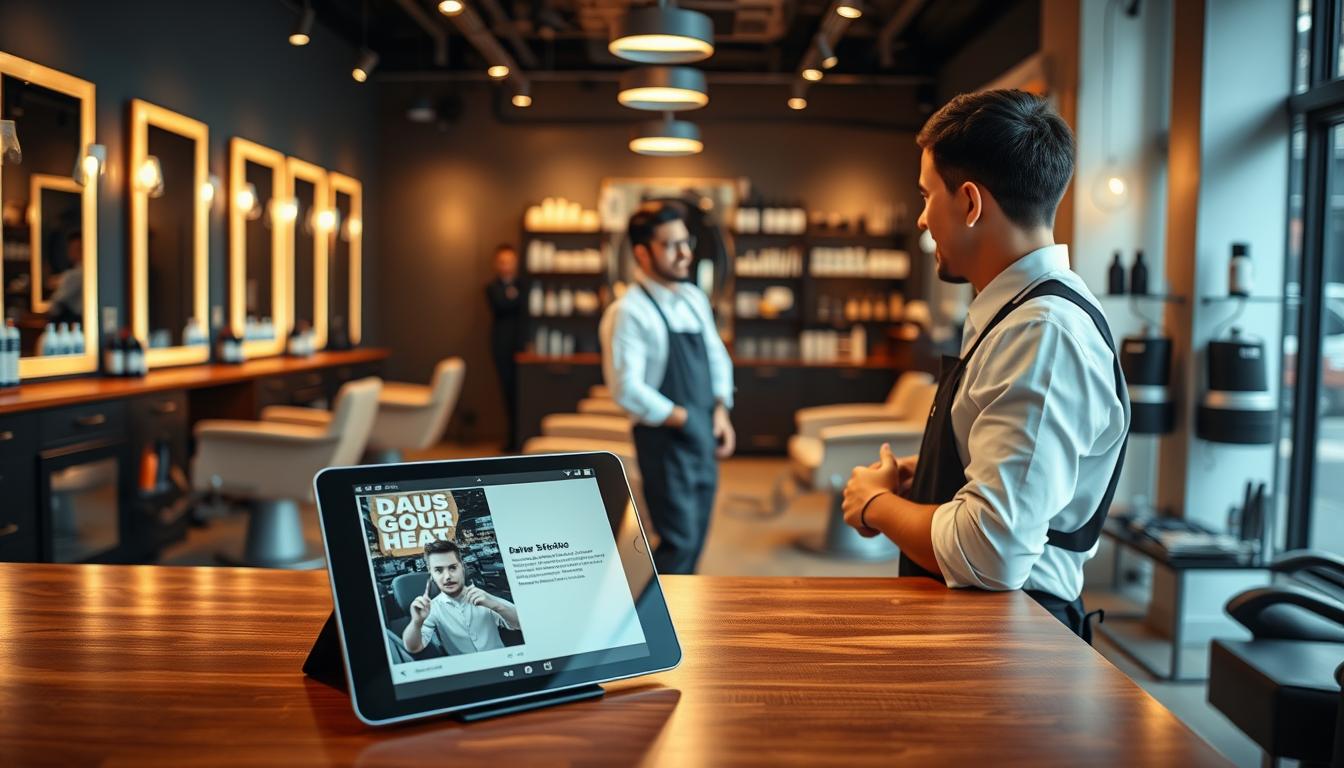
Your barbershop might miss out on great clients before they even book. This can happen when messages pile up, calls go unreturned, or the booking page is hard to use. A pre-sales chat assistant can help by answering quickly, guiding customers, and turning more inquiries into booked appointments without adding stress.
This guide will show you how to boost customer engagement and increase bookings with chat automation for barbers. You’ll learn how to set it up, where to place it for better online booking, and which customer paths are most important. You’ll also see how to track key metrics like lead quality, appointment completion, and staff time saved.
For consistent performance, choose a SaaS chat solution that uses real-world language. Fuzzy Matching, Guaranteed Customer Journeys, and secure access to the Amico Core Intelligence engine are key. They ensure a smooth path from the first question to a confirmed appointment.
Getting started should be easy, even when your team is busy. Look for role control with RBAC and Missed Query Logging to spot and improve on gaps. If you want to see it in action, start with Start Free here: https://billing.chatbotamico.com/register.
Key Takeaways
- A pre-sales chat assistant helps convert quick questions into barbershop bookings.
- Better customer engagement comes from instant answers and clear next steps.
- Online booking optimisation improves when the chat supports decision-making, not just FAQs.
- Fuzzy Matching reduces friction when customers use informal or misspelt phrasing.
- Guaranteed Customer Journeys keep lead capture and appointment scheduling consistent.
- RBAC and Missed Query Logging support low-maintenance control and ongoing improvement.
What a Pre-Sales Chat Assistant Is and Why It Matters
So, you’re wondering what is a pre-sales chat assistant? It’s like a quick, helpful guide on your website. It answers questions before you book, explains services, and checks what you like. It helps you move forward without feeling rushed or overwhelmed.
In a busy barbershop, it’s hard to talk to everyone at once. Phones ring and messages pile up. But with automated customer support, you can keep your service top-notch. The assistant handles the initial questions, so you can focus on what you do best.
Conversational marketing shines here too. You offer fast, clear answers when customers are ready to book. A good chat for your barbershop doesn’t just chat; it guides and confirms. This makes customers sure about what to book.
It can also cut down on missed calls and boost booking rates. You get more complete information from customers. This includes the service, preferred time, and contact details all in one place.
| Moment in the journey | Without a chat assistant | With a pre-sales chat assistant |
|---|---|---|
| Service selection | Customer guesses between cut, skin fade, beard trim, or combo | Guided prompts match needs to the right service and price range |
| Timing and availability | Caller waits on hold or tries later; booking intent cools off | Preferred day and time are captured instantly for faster scheduling |
| Lead quality | Enquiry lacks detail; staff must chase basics | Service + time + contact captured up front for cleaner handover |
| Staff focus | Interruptions break rhythm and slow chair turnover | Fewer disruptions while customers still get rapid responses |
The best experience feels personal, not automated. The assistant should be friendly, use simple language, and know when to pass on to your team for special needs.
To keep things smooth, look for features like Role-Based Access Control (RBAC) and Bulk Import/Export. Also, Missed Query Logging helps spot any gaps in answers. This way, your responses get better over time without extra work.
Barbershop Customer Journeys: Turning Browsers into Bookings
A good barbershop journey is smooth and easy. It’s not just about adding chat. It’s about creating a clear path from start to finish, with fewer stops and doubts.
Capturing walk-in intent from Google, Instagram, and your website
Most visitors come quickly, looking for what they need fast. They might check your Google Business Profile, Instagram, or your website. In the first 10 seconds, they want to know about prices, availability, and services.
Your assistant should answer quickly and guide them to the next step. This makes your website better by providing fast answers and a clear book-now option. It also helps turn Instagram DMs into bookings by keeping the flow consistent.
Handling common pre-booking questions without slowing service
Delays often come from repeated questions that take staff away. Let the assistant handle these questions so your team can focus. This keeps clients happy and in their seats.
- Pricing ranges and what is included
- Fade vs taper, plus beard trim add-ons
- Appointment length and what to choose when unsure
- Walk-ins vs bookings and how to secure a slot
- Late policy, payment methods, and tipping expectations
- Parking, accessibility, and children’s cuts
- Preferred barber requests and how scheduling works
Answering these questions quickly can reduce drop-off. Missed Query Logging helps you see what’s not answered. This lets you improve your responses over time.
Reducing abandoned bookings with guided decision-making
Abandonment often happens when the menu is too big or prices unclear. People also hesitate when choosing a barber, unsure of the time or what happens next. A good assistant helps before they leave.
Keep it simple: ask a few smart questions and suggest the best option. The next step should be clear, like booking or leaving details. Guaranteed Customer Journeys ensure even vague messages get a clear next step, keeping the booking process smooth.
| Entry point | Likely intent | Fast response that helps | Next step that supports website conversion |
|---|---|---|---|
| Google Business Profile traffic | Nearest location, opening hours, same-day slot | Show address, parking notes, next available times | One-tap booking prompt with service suggestion |
| Instagram profile link | Style match, price check, quick confidence boost | Answer pricing ranges and suggest fade, taper, or beard add-on | Move the chat to a booking action to convert Instagram DMs to bookings |
| Website homepage | Compare services, decide duration, choose barber | Short menu guidance plus clear timing options | Single recommended service and a direct book-now route |
Key Features to Look for in a High-Performance SaaS Chat Solution
You’re not just buying a chat tool. You’re investing in reliable conversion and day-to-day control. This ensures that enquiries smoothly turn into bookings, without adding stress at the front desk.
A top SaaS chat for barbershops excels when it understands real language, guides users to the next step, and is easy to manage as your business grows. Automation plays a crucial role here.
Fuzzy Matching to understand real-world customer phrasing
Customers rarely type your exact service names. They might say “shape up”, “line-up”, “edge up”, or “beard clean-up”. They often use short messages and rough spelling.
A Fuzzy Matching chatbot gets the intent behind their words. This means fewer dead ends, fewer manual clarifications, and smoother customer journey automation from start to booking.
Guaranteed Customer Journeys for consistent outcomes
Look for structured flows that always lead to a useful next step: book now, capture contact details, or route to a person. This keeps the experience calm and avoids loops that waste time.
With consistent customer journey automation, you can standardise the same helpful pathway across shifts and locations. Your service quality stays steady, even when the shop is busy.
Permanent access to the Amico Core Intelligence engine
Reliability is a key feature. Permanent access to the Amico Core Intelligence engine gives you a stable layer for understanding and routing. This ensures performance remains consistent as your menu changes.
It also reduces operational risk: fewer rebuilds, fewer disruptions, and more predictable acquisition when demand spikes around weekends and holidays.
Lead qualification, service discovery, and smart handover to staff
Strong lead qualification chat gathers the details your team needs before anyone steps in. It supports faster replies and cleaner diaries, especially when questions come in mid-appointment.
- Service needed and add-ons (haircut, beard trim, hot towel, or clean-up)
- Timeframe, preferred barber, and flexibility
- First-time versus returning, plus location for multi-site shops
- Contact method for confirmations and follow-ups
When the request is complex, smart handover passes context to staff, not a blank thread. Combined with RBAC customer support, you can decide who may edit scripts, pricing guidance, and routing rules.
For scale, bulk import export chatbot tools let you refresh menus, seasonal offers, and multiple locations in minutes. Missed query logging then shows what the assistant could not answer, so you can patch gaps before they turn into lost bookings.
| Capability | What it does in practice | Operational payoff |
|---|---|---|
| Fuzzy Matching chatbot | Interprets slang, typos, and short questions like “line up today?” or “beard clean up price” | More completed flows with less staff interruption |
| Customer journey automation | Moves every chat to a clear outcome: booking, contact capture, or informed handover | Consistent conversion across channels and peak hours |
| Lead qualification chat | Collects key details before a human reply, including timing, preference, and location | Higher-quality leads and fewer back-and-forth messages |
| RBAC customer support | Controls who can change scripts, pricing prompts, and routing rules | Safer updates and fewer accidental changes |
| Missed query logging | Records unanswered questions and edge cases from real customers | Clear fixes that plug revenue leaks fast |
| Bulk import export chatbot | Updates services, offers, and multi-location details in one structured upload | Faster roll-outs with less admin effort |
How to Deploy the Chat Assistant on Your Website and Booking Flow
Deploying a chat assistant on your website is like a small rollout. It should have one clear goal, focus on a few key screens, and get quick feedback. You want to see results fast, not wait weeks to see changes in your barbershop booking flow.
Choosing entry points: homepage, service pages, and booking pages
Start by placing the chat widget where it matters most. Make sure it looks the same on mobile and desktop.
On your homepage, the assistant should catch urgent needs like “need a cut today” and direct users to book, call, or capture leads quickly. On service pages, it should help users pick the right service and add-ons, like a beard trim, without making them scroll too much.
On booking pages, it should answer last-minute doubts fast. Having fewer entry points done well is better than having many places with clutter. Each prompt should support the same barbershop booking flow.
Setting up service menus, pricing guidance, and stylist availability prompts
Create a clean menu with names customers know, short descriptions, typical duration, and price guidance. This keeps conversations focused and prevents back-and-forth that slows bookings.
Use prompts that reduce decision fatigue: “What’s your goal today: tidy-up, fresh fade, beard work?” You don’t need perfect live availability at first. Ask for preferences, then guide the customer to the booking step for confirmation.
For easy updates, use Bulk Import/Export so price and service updates don’t require manual edits. It also helps keep the assistant in line with seasonal offers and changing demand.
Connecting contact capture and booking actions to your current tools
The core actions are simple: click-to-book, click-to-call, SMS/email capture, and a clean handover to staff when a human is needed. This is where you integrate booking software you already trust, instead of swapping systems mid-season.
Keep control tight. With RBAC, you can restrict who changes integrations and customer-data fields, so lead capture forms stay compliant and consistent across locations.
| Rollout step | What you configure | What the customer experiences | Operational payoff |
|---|---|---|---|
| Entry points | Homepage, top service pages, booking page with consistent chat widget placement | Fast help right when they are ready to decide | Less bounce, cleaner barbershop booking flow |
| Service menu | Recognisable service names, durations, price guidance, add-ons via Bulk Import/Export | Quick selection with fewer questions | Fewer calls, fewer pricing disputes |
| Capture and handover | Buttons for book/call, lead capture forms, staff handover triggers, RBAC controls | One smooth path to book or leave details | Higher lead quality, safer data changes |
| Post-launch learning | Missed Query Logging, weekly updates to intents and replies | Better answers over time, even with slang and typos | Measurable fixes instead of guesswork |
Testing journeys for enquiries, consultations, and appointment scheduling
Before scaling, run journey testing like a checklist. Cover common questions, misspellings, slang, price queries, late-night messages, and multi-service requests.
Then do conversion testing on the paths that matter: enquiry to contact, consultation to qualified lead, and appointment scheduling to a completed booking. Use Missed Query Logging during testing and after launch, so every failure becomes a clear improvement task.
Your go-live standard stays simple: the assistant reliably ends in a booking action or captured details. This safety net lets you deploy chat assistant on website pages with confidence, while you continue to integrate booking software steps and refine results over time.
Writing Pre-Sales Chat Scripts That Sound Natural and Convert
Your best pre-sales chat script should be short, helpful, and confidence-building. It guides people to the right choice without feeling like a form. This balance is key to good conversational UX, especially for those booking in a hurry.
Start with chatbot scripts for barbershop that set expectations quickly. Mention what you can do: price guidance, service match, and booking steps. Keep the tone polite and direct, using simple words that feel natural in the US.
Routing should be fast. Ask one question, then offer 3–5 buttons for easy action. This approach reduces friction and keeps the customer’s intent high.
- One question: “What are you looking for today?”
- Quick buttons: Haircut, Fade, Beard trim, Kids, Not sure
- Clarify only if needed: length, beard, urgency, preferred barber
When asking a follow-up, keep it brief and optional. A service recommendation chat should feel like a skilled barber listening, not an interview. If someone types “clean up” or “shape up”, your response should clearly match a service and duration.
| Script moment | Example line | Why it converts |
|---|---|---|
| Greeting | “I can help with prices, picking the right service, and booking in under a minute.” | Sets a clear benefit and reduces uncertainty. |
| Routing | “What are you looking for today?” | Invites intent with low effort, strong conversational UX. |
| Clarifier | “Do you want a quick tidy-up or a full restyle?” | Improves match without adding extra steps. |
| Recommendation | “Based on that, book a Cut + Beard (30 mins). Want the next available time?” | Turns choice into action using booking conversion copy. |
| Escalation | “Want us to confirm it with you? Share your number and we’ll reply shortly.” | Protects the experience when a human touch is better. |
Use power words with care. “Instant”, “secure”, “guaranteed”, “simple”, “fast”, and “always-on” work best when paired with the next action. For example: “Secure booking in two taps” is stronger than hype with no path forward, and it keeps the tone of voice for chatbot grounded.
Trust matters in the US market, so be clear on price ranges, timing, and basic policies. If a price depends on hair length or beard work, say so early. This keeps the pre-sales chat script honest, while still moving the customer towards a decision.
Optimise every week, not once a year. Review Missed Query Logging to spot what people asked that your flow missed, then add phrasing and synonyms. With Fuzzy Matching, you catch natural language variations, so your chatbot scripts for barbershop stay current without constant rewrites.
Start Free and Upgrade Later: Pricing, Access, and Scaling
Starting with a free chatbot lets you test it out first. See how it works in your barbershop. Then, you can grow with confidence, using real data.
Chatbot pricing should be fair. You only pay more when you get more value. It shouldn’t be complicated.
Start Free setup is quick. You can start with basic services. This includes price guidance, booking calls, and answers to common questions.
It’s like using a SaaS, not building something from scratch. You’ll see more bookings and fewer missed calls quickly.
When demand grows, you can upgrade. You’ll need better routing and reporting. This helps manage more customers without stressing your front desk.
For shops with many locations, automation is key. It keeps the experience the same everywhere. Yet, each place can show its own hours and services.
As you grow, control is crucial. Role-Based Access Control (RBAC) limits who can make changes. This keeps your setup safe.
Bulk updates make changes faster. This is great for seasonal offers or menu changes. It saves time and effort.
Reliability comes from a secure AI engine. It keeps your system running smoothly. This is important for refining your chatbot over time.
This setup also reduces risks. It keeps updates controlled and predictable. This is important when more staff need access.
| What you track | How you measure it | What it improves |
|---|---|---|
| Chat-to-booking action | Count booking clicks from chat, then compare by page entry point | More appointments from Google, Instagram, and your website |
| Captured leads | Number of contacts saved with service choice, time preference, and phone or email | Higher lead quality and cleaner follow-up lists |
| Service demand | Top asked-for services and add-ons, plus drop-off points in journeys | Sharper menus and better upsell prompts |
| Staff time saved | Volume of repeated questions handled in chat and fewer counter interruptions | Protected chair utilisation and smoother in-shop experience |
To measure chatbot ROI, start with a weekly baseline. Then, review the same metrics after making changes. Keep it simple and let the numbers guide your next steps.
If you want to start now, register here: https://billing.chatbotamico.com/register.
Conclusion
A pre-sales chat assistant makes your shop always ready to help, not just when asked. It turns interested visitors into booked appointments with ease. This is key for growing your barbershop bookings.
For the best results, make sure you have Fuzzy Matching, Guaranteed Customer Journeys, and access to the Amico Core Intelligence engine. These features keep the conversation flowing, even with typos or different wording. This makes your chatbot feel natural and effective.
You also need to manage your chat assistant well in a real business. RBAC lets you control who can access it, Bulk Import/Export makes updates quick, and Missed Query Logging tracks what you miss. This tightens your customer service and keeps improving over time.
Now, start by trying it for free, launch the main journeys, and see how bookings and time saved improve. As you grow, upgrade to handle more volume, locations, or complex routes. To begin, register here: https://billing.chatbotamico.com/register.
Leave a Reply