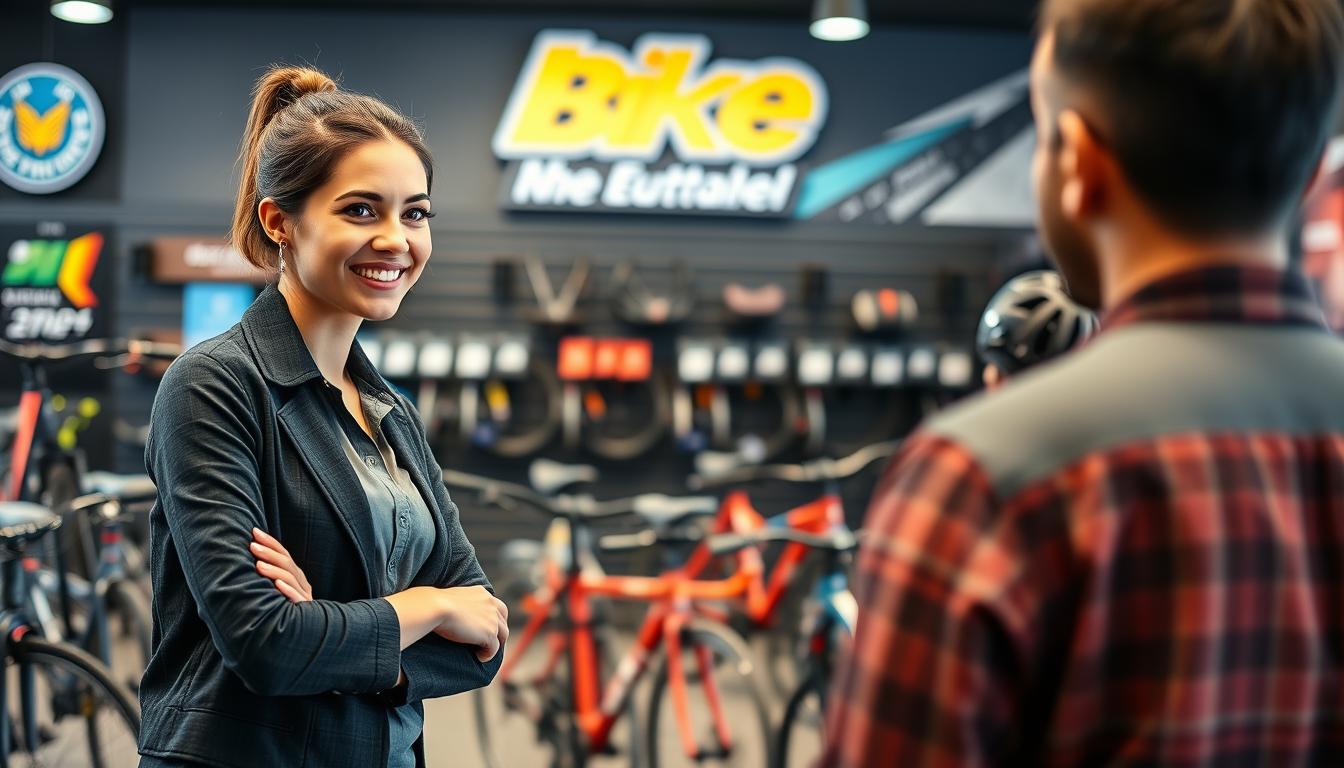
When someone visits your Bike Shop site, they don’t have time to search for answers. They need the right bike and the right size quickly. A pre-sales chat assistant helps them instantly, offering website chat that feels personal and matches your brand.
This guide will show you how to turn browsing into real customer engagement. You’ll learn to capture leads and book test rides. It also helps increase sales of higher-value items like road, mountain, gravel, and e-bikes, all without adding to your team’s workload.
It’s designed for both those who manage the chat and those who set it up. You’ll go through customer journeys, playbooks, product data, integrations, and quality checks. This way, your e-commerce bike shop can support shoppers quickly and confidently.
We focus on smart, forgiving tech. It keeps chats flowing even with mistakes, like typos or incomplete model names. This leads to sales automation that cuts down on lost sales and makes every chat easier to close. In the US, where quick service is key, this is especially important.
If you’re looking for a simple start, you can Start Free, see results fast, and upgrade as needed. Register here: https://billing.chatbotamico.com/register.
Key takeaways
-
A pre-sales chat assistant helps your Bike Shop answer questions fast and keep shoppers on the page.
-
Bike retail chat improves customer engagement by guiding choices on type, fit, and budget in real time.
-
Website chat for bike stores can turn interest into lead capture and reliable test ride bookings.
-
Sales automation supports higher basket value with timely add-ons and clear purchase steps.
-
An e-commerce bike shop performs better when chat handles messy inputs and still gives accurate guidance.
-
You can Start Free, measure ROI quickly, then upgrade only when you need more capability.
Why a pre-sales chat assistant matters for customer engagement and sales
When a shopper hesitates, you feel it fast. Tabs close, baskets sit idle, and Bike Shop sales stall. A pre-sales assistant keeps the conversation moving, so customer engagement does not fade at the key moment. It also supports conversion rate optimisation by turning uncertainty into a clear next step.
How real-time chat reduces drop-offs and increases conversions
Real-time chat steps in during “stuck moments”. This could be doubts about frame size, spec overload, or checks for racks, tyres, and child seats. Instead of forcing another search, you offer a quick prompt: compare models, add to basket, book a test ride, or request a quote. This simple guidance helps reduce abandonment without adding pressure.
This is practical sales enablement because you can measure it. Track chat-start rate, lead capture rate, appointment conversion, and assisted revenue to see what moves the needle. Over time, those signals sharpen your conversion rate optimisation with less guesswork and more repeatable wins.
Meeting modern expectations for instant answers across channels
Shoppers expect answers now, especially on product pages and campaign landing pages. During peak hours in the United States, phones go unanswered and email queues build up. Real-time chat keeps your storefront responsive, even when your team is fitting helmets or building bikes.
Consistency matters as much as speed. The assistant can stick to your policies on delivery windows, assembly options, and returns. This keeps your message aligned across pages and touchpoints. That steady customer engagement builds trust before a buyer ever visits the shop.
Supporting higher-value purchases with confident guidance
Higher-ticket bikes come with more questions, and the safest path is clear, calm guidance. A good assistant explains trade-offs in plain language: road versus gravel, hardtail versus full-suspension, or commuter practicality versus speed. For e-bike sales support, it can also clarify torque, sensor types, and range factors without overwhelming the buyer.
It also helps with bike financing questions, where shoppers want quick facts and reassurance. With the right guardrails, the experience feels supportive, not pushy, while still protecting accuracy around product claims and safety advice.
| Shopper moment | What they need right now | Chat-driven next step | What you can measure |
|---|---|---|---|
| Stuck on sizing and fit | Simple guidance on height, reach, and comfort | Recommend a size range and offer a test ride booking | Appointment conversion and assisted revenue |
| Confused by specs and use-cases | Plain-English comparison for terrain and riding style | Shortlist two models and prompt add to basket | Conversion rate optimisation lift on product pages |
| Checking e-bike details | Clear explanation of motor feel, range, and maintenance basics | e-bike sales support with a quote request or in-store demo | Lead capture rate and demo bookings |
| Hesitating on price and payment | Fast, accurate answers to bike financing questions | Confirm options and guide to checkout or a call-back | Drop-off rate and reduce abandonment at checkout |
Bike Shop customer journeys and buying intent signals to capture
Every Bike Shop customer journey leaves clues. Capturing buying intent early helps. It stops chats from drifting and moves people towards action.
Each message is a signal. It shows what they ride, where they ride, and what problem they need to solve. Then, route them into a Guaranteed Customer Journey that ends with a decision, not a dead end. This way, you boost in-store visit conversion without being pushy.
Identifying beginner, commuter, and enthusiast intent quickly
Start with short questions to reveal intent fast. If someone says “first bike”, they are likely looking at beginner bikes. They want comfort and control.
For commuter bikes, look for mentions of “daily commute” or “carry panniers”. They care about reliability, lights, and rack mounts. Enthusiast bikes show up in different cues: “weekend trails”, “gravel events”, or “upgrade from aluminium to carbon”. You may also hear “range anxiety” with e-bikes, or “need child seat” for family rides. Each cue is a clean buying intent marker you can store and reuse.
| Message cue you capture | Structured signal you store | Best next step in the chat |
|---|---|---|
| “first bike”, “not sure what I need” | Rider experience: new; comfort preference: upright | Offer 2–3 beginner bikes by riding style, then suggest bike fitting if unsure |
| “daily commute”, “carry panniers”, “wet roads” | Frequency: daily; storage constraints: panniers; terrain: urban | Narrow to commuter bikes with mounts, tyres for grip, and service plan options |
| “weekend trails”, “gravel events”, “upgrade to carbon” | Terrain: mixed; distance: longer; performance priority: high | Compare enthusiast bikes by frame, groupset level, and fit goals |
Mapping questions to key decision points: size, budget, and terrain
Free-text questions become checkpoints you can answer in order. First: height and inseam to guide frame size and reduce returns. Second: terrain, which shapes tyre width, gearing, and whether suspension matters.
Third: budget, so you can frame value with clear trade-offs. Keep it short and punchy: make height and terrain mandatory, while budget can stay optional until they ask about price. This keeps the Bike Shop customer journey moving, even when the shopper types one-line messages.
Turning browsing into booked test rides and in-store visits
Watch for conversion moments. When someone asks about fit, comfort, or “how it feels”, you have permission to propose test ride booking and a quick bike fitting. It’s helpful, not salesy, and it supports confident choices across beginner bikes, commuter bikes, and enthusiast bikes.
To support in-store visit conversion, collect only what staff need: preferred store location, best day and time, contact details, and bike category. Pass it through as a clean lead with the key signals, so the team can prep the right sizes and have the bike ready on arrival.
Setting up your pre-sales chat: goals, tone of voice, and brand consistency
Setting up your chat is like making three key choices once. These choices help your chat stay consistent and clear, even when you’re busy. It ensures your Bike Shop brand voice is always clear, whether you’re selling high-end carbon bikes or workshop services.
Choosing a helpful, knowledgeable tone that fits your shop
Your chat tone should be calm, expert, and never pushy. Keep sentences short and options clear. This makes it easier for riders to communicate their needs and for you to guide them.
Match your chat language to your Bike Shop brand voice. A premium retailer might use precise, performance-led language. A family store can be friendly and practical. A service-led shop can focus on direct, timely next steps.
Defining conversion goals: leads, appointments, and basket value
Conversion goals vary by page. On category pages, focus on quick guidance and lead generation. On product pages, provide clear specs and fit answers to support add-to-basket decisions. On service pages, focus on booking appointments for tune-ups and fittings.
| Page type | Customer need | Conversion goals | What you measure |
|---|---|---|---|
| Category pages | “Which bike type fits my riding and budget?” | Lead generation with a quick shortlist and a contact capture | Lead-to-sale rate, assisted revenue |
| Product pages | “Will this size fit, and what do I get for the price?” | Reduce hesitation, improve basket value with compatible add-ons | Add-to-basket rate, assisted revenue per chat |
| Service pages | “How soon can you service my bike, and what’s included?” | Appointment booking with clear slots and prep steps | Show-up rate, rebooking rate |
Creating guardrails for accuracy, safety, and product claims
Safety guardrails protect both your customers and your shop. Define “must not” areas like unsafe riding advice and medical claims. Be strict with product claims, ensuring they match manufacturer specs and warranty terms.
Compliance should be built into the assistant’s behaviour when unsure. It should offer handover to a human, log the missed query, and capture the right details for follow-up. Use Role-Based Access Control (RBAC) to ensure only authorised staff can change pricing rules and policies.
Core playbooks for pre-sales conversations in a bike retail environment
Think of playbooks as reusable conversation rails. They keep replies fast, consistent, and easy to trust across every channel. With Bike Shop chat scripts, you guide shoppers to clear next steps without sounding pushy.
Each rail has three parts: quick questions, a clean shortlist, and a simple action. That action can be: view three options, compare key specs, or book a test ride. It keeps the chat focused, even when the shopper arrives with half a model name and a tight budget.
Bike recommendations: road, mountain, hybrid, gravel, and e-bikes
Strong bike recommendations start with how you ride, not what you saw on social media. Ask in order: riding style, terrain, typical distance, comfort preference, then budget. When you add e-bike advice, confirm whether you want assist for hills, longer commutes, or carrying cargo.
Cover comparisons in plain terms: tyre clearance for rougher paths, gearing ranges for climbs, suspension travel for trail control, and brake type for wet-weather stopping. Add practical checks like mounting points for racks and bottles, plus weight versus durability for daily use.
For e-bike advice, keep the basics simple: motor placement affects feel, and battery size affects range. Then offer a choice: see three matched options, compare side-by-side, or reserve a test ride if one fits your route.
Sizing and fit guidance: height, inseam, frame geometry, and comfort
A reliable bike sizing guide gives direction, not a risky promise. Start with height and inseam, then provide a general frame range. For final confirmation, prompt an in-store fit check, especially if you have past knee, wrist, or neck pain.
Define measurements in everyday language. Inseam is your inside leg length, measured from the floor to the crotch in shoes. Standover is the space between you and the top tube when you stand over the bike.
Use comfort prompts to avoid returns: upright versus aggressive position, flexibility, saddle sensitivity, and hand numbness. Those answers steer bar width, reach, and even crank length, while keeping the chat calm and supportive.
Accessories and add-ons: helmets, locks, lights, racks, and maintenance kits
Smart bike accessories sell when they solve real problems. Bundle for outcomes: safer rides, less theft risk, and fewer roadside issues. Keep it simple and relevant to where you ride.
- Helmet: correct fit plus a current safety standard (look for MIPS options from Giro or Smith).
- Lock: match the risk level; a Kryptonite U-lock suits city parking better than a thin cable.
- Lights: daytime running lights for visibility, plus a brighter front for unlit roads (brands like Lezyne help).
- Maintenance kit: puncture kit, tyre levers, mini pump or CO₂, and a multi-tool for quick fixes.
- Commuter add-ons: rack and panniers, bottle cages, and mudguards for year-round use.
To keep trust high, confirm compatibility: tyre size, mounting points, and rack eyelets. It prevents surprise returns and keeps the basket tidy.
Handling common objections: price, availability, and delivery timelines
When you handle objections, aim for clarity, not pressure. If price is the sticking point, reframe value: fit support, durability, warranty coverage, and local service. Offer good/better/best so you stay within budget while improving ride feel.
For stock availability, be direct. If a size or colour is out, offer in-stock alternatives with similar geometry and specs, or a reserve option for the next shipment. If the shopper wants one exact model, capture details for a notify-me workflow.
Delivery times need careful wording. Share policy-based ranges only, and flag when timing depends on carrier hand-off or supplier confirmation. If the answer is uncertain, take the postcode and preferred date, then escalate; unanswered edge cases become training fuel through Missed Query Logging.
| Playbook moment | What you ask | What you compare | What you offer next | What to log for accuracy |
|---|---|---|---|---|
| Bike recommendations | Riding style, terrain, distance, comfort, budget | Tyre clearance, gearing ranges, brake type, mounting points, weight vs durability | 3 options, quick compare, book a test ride | Models mentioned, budget band, must-have features |
| e-bike advice | Hills, commute length, cargo needs, charging access | Motor position, battery size, estimated range bands, total weight | Range-fit shortlist, route-based questions, reserve if available | Route type, storage limits, charging habits |
| bike sizing guide | Height, inseam, flexibility, comfort pain points | Frame range, reach/stack cues, standover clearance | Suggested size band, in-store fitting prompt | Measurements, fit concerns, preferred riding posture |
| bike accessories | Where you park, night riding, commute needs, repair confidence | Helmet fit features, lock security level, light brightness use, rack mounts | Bundle that matches risk and routine | Bike model, mounting points, local theft risk notes |
| Objections | What matters most: price, stock availability, or delivery times | Value trade-offs, in-stock substitutes, timing certainty level | Good/better/best, reserve, notify-me, escalation | Top objection reason, lost sale triggers, unclear answers |
Product data, inventory, and integration essentials for accurate answers
Your chat assistant is only as good as the data it uses. With Bike Shop inventory integration and solid product data management, you can guide shoppers quickly and accurately.
Accuracy is the real feature: when the basics are right, you can show accurate availability. This helps people move towards a test ride or checkout.
Start with a basic dataset that answers most buying questions. Keep it simple, then add more based on what customers ask.
- Product name, brand, category, and model year
- Sizes, colours, and fit notes
- Price, key specs, and compatibility notes (tyres, drivetrains, racks)
- Stock status, lead times, and accurate availability
- Store-level location availability if you run multiple sites
A clean SKU catalogue helps your assistant stay consistent. It also reduces mix-ups when shoppers use shorthand, like “105” or “SL”, and expect instant clarity.
To keep data fresh, build simple workflows your team will use. bulk import export lets you update pricing, specs, and new model-year changes in batches. This saves time during busy periods.
RBAC keeps control where it belongs. You can limit who edits pricing rules, policy text, and integration settings. This lets staff maintain day-to-day product details.
When the assistant can’t answer, you should still learn from it. missed query logging captures unanswered questions and near-misses. This helps you tighten wording, add missing specs, and match the language customers use on your site.
Integration should feel straightforward: a widget on your site, a product feed from your shop platform, and optional hand-offs for leads. With e-commerce integration, the assistant can reference the same product and stock signals your storefront uses. This protects accurate availability.
| Integration point | What you connect | What the shopper gets | What you gain |
|---|---|---|---|
| Website widget embedding | Chat snippet on product pages, collection pages, and service pages | Instant help while browsing, with fewer dead ends | More engaged sessions and clearer intent signals |
| Product feed connection | SKU catalogue, pricing, specs, and stock status updates | Consistent answers across variants and sizes | Less rework, stronger product data management |
| Lead handoff | Email or CRM capture for quotes, trade-ins, and high-ticket builds | A smooth way to ask for follow-up without repeating details | Cleaner leads with context and fewer drop-offs |
| Appointments and test rides | Calendar hooks for bookings and reminders | Clear next steps when they are ready to visit | More booked visits tied to real questions |
Edge cases will happen: discontinued models, model-year confusion, and regional naming differences across the United States. Your best safeguard is tight matching plus calm fallbacks. This way, the assistant can offer the closest current equivalents and keep the conversation useful.
Deploy our high-performance SaaS solution: start free and upgrade later
You don’t need a big change to add a pre-sales assistant. Our Bike Shop SaaS lets you keep your brand voice. It handles repeat questions quickly.
The goal is simple: fast deployment where buyers are most likely to act. Then, we measure growth based on real results. This keeps risk low and momentum high, with easy automation from the start.
Fast deployment for your website and key landing pages
Start with chat on pages that boost sales: best-sellers, e-bike pages, and more. These are where shoppers hesitate and compare.
Roll-out is predictable. The widget fits your site well, supporting your checkout and lead forms.
Start Free: prove value quickly before committing
Start with a short test on your top products and key pages. Focus on delivery, returns, and service prices. This lets you test the chatbot and see its impact.
For quick setup, register here: https://billing.chatbotamico.com/register. Once live, you can see the chatbot’s value from real data, not guesses.
Upgrade later: scale features as enquiries and sales grow
As traffic grows, so do conversations. This means more data and team needs. Upgrades add deeper integrations and more without changing platforms.
This view shows how scaling works from launch to growth.
| Stage | Where you deploy | What you measure | What you add with an upgrade plan |
|---|---|---|---|
| Launch | Landing page chat on best-sellers and e-bike categories | Chat volume, top questions, lead form completions | More intents, refined tone, quicker hand-off rules |
| Validation | Sizing/fit and financing pages with strong buying intent | Booked test rides, assisted sales, drop-off reduction | Expanded product knowledge, policy coverage, stronger reporting for ROI proof |
| Scale | Service booking and store pages across locations | Appointment rate, repeat enquiries reduced, staff time saved | Deeper integrations, multi-team controls, ongoing optimisation for low maintenance automation |
Secure permanent access to Amico Core Intelligence for consistent performance
Amico Core Intelligence is the heart of your pre-sales assistant. It brings a steady, reliable layer that keeps answers clear and safe during busy times. This stability is crucial for Bike Shop automation reliability, especially when shoppers have mixed intent and make typing mistakes.
Fuzzy Matching to interpret misspellings, model names, and shorthand
Real shoppers don’t type like a catalogue. They might search for “Trek Domane AL”, “domane”, or “specialized e bike”. Without fuzzy matching, these small errors can lead to dead ends and extra work.
Fuzzy matching helps the assistant find likely matches, keeping the conversation flowing. This means fewer misunderstandings, more accurate suggestions, and a better understanding of what people are looking for in your store and online.
Guaranteed Customer Journeys to guide shoppers from question to checkout
Guaranteed customer journeys prevent stalls. When a shopper asks a question, they always get a clear next step. This could be to compare options, check sizing, book a test ride, or leave details for a call-back.
When shoppers are close to buying but unsure, the journey stays careful. For fit, safety, warranties, or policy edge cases, it guides them to approved boundaries and a human escalation path. This protects your team while keeping Bike Shop automation reliability consistent across every channel.
Quality control: monitoring, optimisation, and continuous improvement
Chatbot quality control is an ongoing process. You improve it by tracking Missed Query Logging, reviewing gaps weekly, and measuring whether the assistant resolved the question or needed a handover. This tight loop keeps monitoring practical, not abstract.
Changes are controlled with RBAC, so only authorised staff can publish updates to key policy answers and guaranteed customer journeys. Bulk Import/Export speeds catalogue refreshes, while optimisation focuses on real outcomes like conversion assists and booked appointments.
| Reliability layer | What it handles in real chats | What you measure in monitoring | How it strengthens Bike Shop automation reliability |
|---|---|---|---|
| fuzzy matching | Misspellings, shorthand, partial model names, spacing errors | Drop in “no answer” responses; top corrected terms; successful product matches | Keeps shoppers on track even when they type fast or guess model names |
| guaranteed customer journeys | Next-step prompts: compare bikes, sizing help, test ride booking, lead capture | Journey completion rate; click-through to booking; handover rate by intent | Prevents dead ends and reduces friction between interest and checkout |
| chatbot quality control | Safe boundaries for fit, safety, and policy exceptions; human escalation paths | Escalation reasons; resolution rate; repeat questions; policy-related deflections | Keeps advice consistent and lowers risk without slowing the sale |
| optimisation | Prompt refinement, expanded coverage, improved intent routing | Conversion assists; appointment bookings; average turns to resolution | Improves performance over time without constant rebuilds |
| monitoring with RBAC and Missed Query Logging | Controlled updates, audit-friendly changes, gap spotting from real questions | Weekly gap count; time to publish fixes; update approval history | Maintains stability as your inventory, offers, and FAQs change |
Conclusion
Running a Bike Shop pre-sales chat means you’re no longer playing catch-up. You offer quick, clear answers that guide customers, not confuse them. This approach boosts bike sales and keeps customers happy.
Follow a simple plan: spot what customers want, set the right mood, and guide them. Use proven strategies for bikes, sizes, and extras. Make sure your answers are always right by linking product and stock info.
This way, your team can focus on real sales, not just answering the same questions. Chat assistant ROI becomes clear to see. Start for free, track how it affects your business, and upgrade when it’s worth it.
Ready to start for your US customers? Create your account and begin at https://billing.chatbotamico.com/register.
Leave a Reply