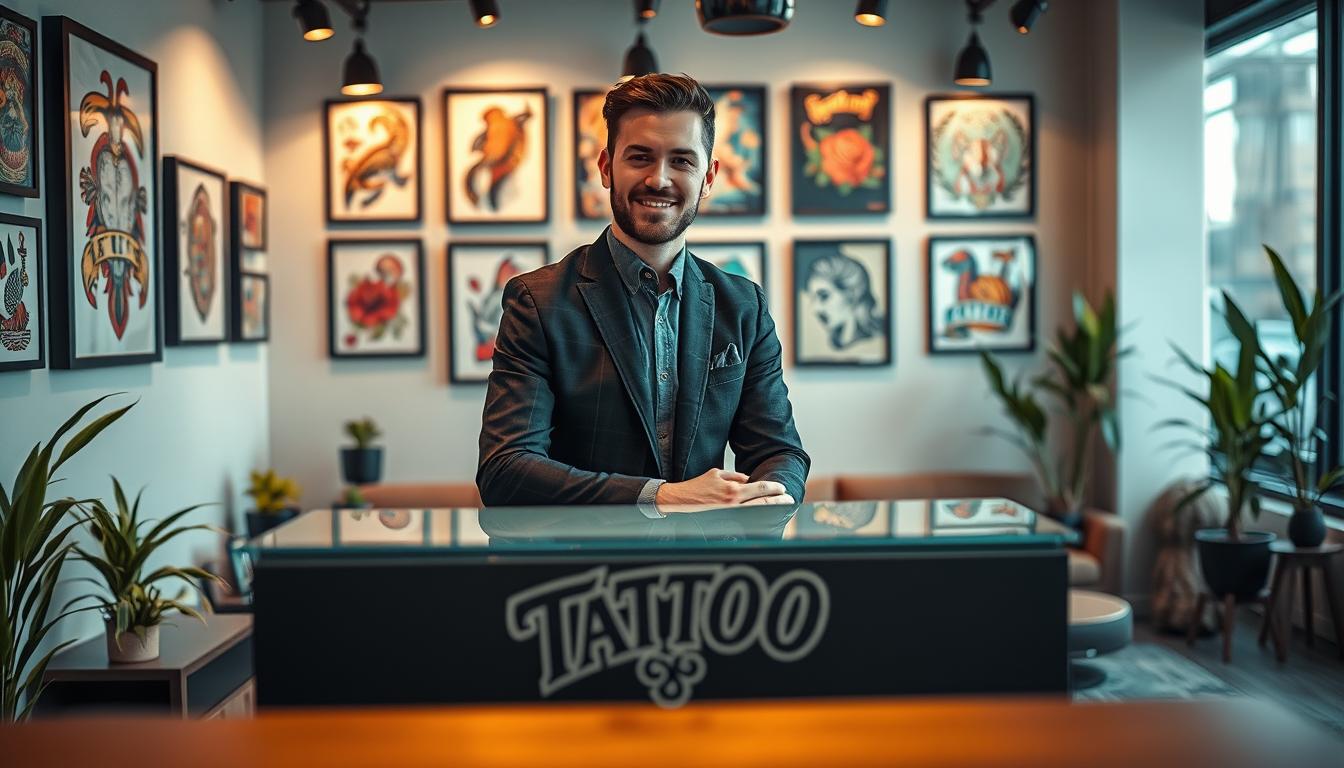
Your Tattoo Studio gets lots of messages every day. They come from your website, Instagram DMs, SMS, and Google Business. Many arrive when you’re busy tattooing or cleaning.
A pre-sales chat assistant is a big help. It answers quickly, checks if leads are good, and keeps the chat going. This way, you make more money without doing extra work.
Want to see how it works? Start for free here: https://billing.chatbotamico.com/register. You can upgrade later if you see more bookings and deposits coming in.
Think of AI chat for tattoo studios as a calm, always-on front desk. It answers common questions, gets the details you need, and gives you clear notes. It’s designed for tattoo studios and artists to capture more leads.
Key takeaways
- A pre-sales chat assistant keeps enquiries warm across web, Instagram, SMS, and Google Business.
- Tattoo enquiry automation cuts slow replies, so you lose fewer leads outside working hours.
- Stronger tattoo consultation booking comes from clear questions and simple next steps.
- Tattoo deposit capture is easier when the path is guided and consistent.
- AI chat for tattoo studios improves handover by collecting size, placement, style, and timeframe.
- Customer journey automation gives you a repeatable process, without extra admin.
Why a pre-sales chat assistant matters for tattoo enquiries
Tattoo enquiries come in many forms: DMs, website forms, phone calls, and messages at odd hours. A pre-sales chat assistant brings all these into one clear path. This way, you can reply quickly and catch more leads without being glued to your phone.
This is about pace and clarity. Quick responses are key when someone wants to book. They keep your tattoo studio’s booking flow smooth, even when you’re busy.
Reduce back-and-forth messaging and missed leads
Most chats stall because of missing information. A good assistant collects the basics in one go: style, size, placement, timeframe, and budget. This means less admin, clearer briefs, and fewer chats that fade away.
It can also send automated Instagram DMs with the same questions you’d ask in person. It logs what’s asked and what’s missed. This helps catch more leads and stops “just checking” messages from taking over your day.
Set expectations on pricing, placement, pain, and healing
People want straight answers, not guesses. Your assistant can set clear tattoo pricing expectations. It explains how detail level, colour, and session length affect cost.
It can also explain how placement affects time, comfort, and healing in simple terms. Add aftercare guidance early on. This way, clients know what to expect and what they need to do at home.
Build trust with consistent tone, safety, and policy messaging
When many artists reply, tone can vary. A pre-sales assistant keeps your studio’s voice steady and calm. It shares hygiene standards and key policies consistently.
This consistency lowers anxiety for new clients and reduces unnecessary follow-ups. It also helps spot patterns in tattoo enquiries. This way, your team can improve replies without rewriting scripts every week.
Convert browsers into booked consultations with clear next steps
Interest is fragile. The assistant should guide people to one action: book a consult, pay a deposit, or upload references. This direct path improves consultation conversion because clients know what to do next.
To keep decisions simple, match each step to what the client is trying to achieve. When your tattoo studio booking flow is clear, you spend less time chasing and more time tattooing.
| Enquiry moment | What usually goes wrong | What the assistant standardises | Operational payoff |
|---|---|---|---|
| First message across channels | Details spread across DMs, forms, and calls | One intake that captures style, size, placement, timeframe, budget | Cleaner briefs and faster triage for tattoo enquiries |
| Pricing questions | Vague replies cause doubt or drop-off | Clear ranges plus drivers of cost to set tattoo pricing expectations | Fewer circular chats and better-qualified leads |
| “Can I book?” moments | No clear next step, client goes quiet | Consult link, deposit option, reference upload, human handover | Higher consultation conversion and a smoother tattoo studio booking flow |
| Healing and care questions | Mixed advice across artists and threads | Consistent aftercare guidance messaging in plain language | More confidence, fewer repeat questions, fewer issues |
| Instagram-driven demand | DM overload and slow replies | Rules and prompts that automate Instagram DMs and organise replies | Less missed time and fewer gaps that reduce missed leads |
How to set up a Pre-Sales Chat Assistant for your Tattoo Studio
Starting a tattoo studio chatbot is simple. First, decide what you want it to do. Knowing your goal makes every question and handover smooth. This keeps clients moving, even when your front desk is busy.
Define your goals: consult bookings, deposits, or design discovery
Want more consults? Focus on quick details and calendar-ready contact info. For deposits, build a system around clear policies and simple payments. For design discovery, focus on preferences and reference images.
Create conversation paths for common intents (flash, custom, cover-ups)
Clients come with different needs. Give them clear paths. For flash tattoos, handle quick selections and confirm next steps.
Custom tattoos need style and theme early. This keeps the chat focused. Cover-ups need a special flow to set expectations before booking.
Ask about current tattoos, their age, and any colour or scarring. This protects your diary and the client’s outcome.
Capture the essentials: size, style, placement, budget, and timeframe
Use the same questions each time: size, style, placement, budget, and timeframe. This structure improves lead qualification. You can also ask about colour, first tattoo status, and preferred artist.
- Size: a rough measurement beats “small” or “big”.
- Style: fine line, realism, traditional, lettering, or a clear mix.
- Placement: body area plus whether it needs to be work-friendly.
- Budget: a range keeps the chat honest and calm.
- Timeframe: date window, travel plans, and flexibility.
Route leads to the right artist based on speciality and availability
Routing builds trust. Match each enquiry to an artist by speciality and availability. This makes the first reply feel personal and accurate. Use Role-Based Access Control (RBAC) to manage team access.
| Intent | Best-fit flow focus | Routing rule | Quality check before handover |
|---|---|---|---|
| Flash tattoos enquiries | Pick design, confirm size and placement, offer next slot | Artist who already offers that flash set and has openings | Deposit readiness and placement clarity |
| Custom request | Style references, theme, budget range, timeline | Match to artist style first, then availability second | Reference image included and budget aligned |
| Cover-up request | Cover-up assessment flow with current tattoo details and photo | Cover-up specialist with longer session blocks available | Photo received and realistic constraints confirmed |
| Deposit-driven booking | Policy acknowledgement and tattoo deposit automation | Route by earliest bookable consult or slot type | Contact details verified and policy accepted |
Deploy our high-performance SaaS solution: start free and upgrade later
You can easily set up a SaaS chat assistant for tattoo studios. No need for a long build or a risky migration. Just start with a clear intake flow, measure the savings, and scale when it’s worth it. To begin, visit https://billing.chatbotamico.com/register.
It’s made for how clients in the United States browse: fast, on mobile, and often between tasks. The experience is direct, with short questions to gather the details you need.
Choose channels: website widget, Instagram links, SMS, and Google Business
Start where clients show the most interest. A website chat widget catches people looking at your portfolio and pricing. It turns browsing into a structured enquiry.
An Instagram chat link organises DMs by guiding clients through size, placement, style, and timeframe. SMS enquiry automation keeps follow-ups quick for reminders and yes/no checks. Google Business messaging captures local searches when someone is ready to book.
Install in minutes with lightweight embed and mobile-first design
Setting it up is easy: a lightweight embed that won’t slow down your site. The design is mobile-first, making the chat easy to use on phones.
Once live, track what people ask and where they get stuck. This helps you improve your copy and save staff time.
Configure branding, studio voice, and working hours for handover
Make the chat match your studio: colours, logo, and phrasing. Set working hours for clear expectations, with a smooth handover when you’re offline.
You can also define escalation rules. This means the system can pass tricky moments to a human, like complex medical questions.
Upgrade when ready without losing chat history or performance insights
This starts free chatbot testing without commitment. When you’re ready to upgrade, you keep everything: no lost chat history, no wiped learnings, and no downtime.
Performance insights stay intact, showing which questions lead to consultations and which steps block deposits. This makes upgrades a smart choice, not a risk.
| Channel | Best moment to use it | What it captures fast | Why it reduces admin |
|---|---|---|---|
| website chat widget | When a visitor is viewing artists, flash, or booking info | Style, placement, size, timeframe, budget range | Turns browsing into a structured enquiry, cutting repeat questions |
| Instagram chat link | When DMs spike after posts, reels, or flash drops | Reference intent, preferred artist, availability windows | Pre-qualifies requests so your inbox stays usable |
| SMS enquiry automation | When you need quick follow-ups and appointment nudges | Confirmations, short answers, photo prompts, deposit readiness | Keeps replies short and timely, with fewer missed follow-ups |
| Google Business messaging | When locals discover you via Maps and “near me” searches | Location intent, opening hours questions, consult requests | Captures high-intent traffic before it jumps to another listing |
Secure permanent access to Amico Core Intelligence for better conversions
When you lock in Amico Core Intelligence, your chat stops acting like a simple FAQ box. It becomes a forgiving revenue tool that keeps people moving, even when they type fast, switch terms, or change their mind mid-chat.
This is where tattoo studio conversion optimisation gets practical: fewer stalled conversations, clearer next steps, and cleaner lead details you can actually use.
Use Fuzzy Matching to understand typos, slang, and style synonyms
Your clients do not write like a brief. They write like a message: quick, shorthand, and full of slang. A Fuzzy Matching chatbot captures meaning, not just exact keywords, so intent does not get lost.
It recognises “fineline”, “fine line”, “thin line”, “micro realism”, “trad”, and common misspellings. That means the assistant can answer accurately and keep the chat moving towards a booking or deposit.
Deliver Guaranteed Customer Journeys from first question to deposit
With guaranteed customer journeys, you decide what “done” looks like. The assistant guides each person to a defined outcome: consultation booked, deposit taken, or a qualified request submitted for review.
That structure removes dead ends. It also makes performance easier to manage, because every path has a clear finish line and fewer chances to abandon the chat.
Personalise recommendations using intent and preference signals
Intent-based personalisation uses what the client shares in the moment. Think style, placement, budget range, timeframe, and past tattoo history. You can route them to the right artist and the right next step without making it feel intrusive.
It also helps you surface the right reminders at the right time: deposit rules, prep guidance, and what to send for a quote. That keeps expectations steady and reduces follow-up messages.
Maintain consistency across artists, locations, and service types
Studios grow fast, but tone and policy can drift even faster. Multi-artist consistency keeps answers aligned across artists, locations, and service types, so your standards do not depend on who is replying that day.
For implementers, you also get the control and feedback loop that keeps quality high:
- Missed Query Logging to capture gaps, spot patterns, and tighten replies over time.
- Bulk Import/Export to roll out FAQs, policies, and updates across locations with less manual work.
- RBAC to manage access as your team expands, with clearer ownership and fewer risks.
| Capability | What you set | What the assistant does | Conversion impact for a US studio |
|---|---|---|---|
| Fuzzy Matching chatbot | Style terms, synonyms, and priority intents | Understands slang, spacing changes, and typos; keeps replies on-track | Fewer dropped chats when users search “fine line” or “trad” with messy spelling |
| Guaranteed customer journeys | End states: consult, deposit, or qualified request | Guides people step-by-step to a defined finish, with no dead ends | More predictable handovers and fewer “just browsing” chats that go nowhere |
| Intent-based personalisation | Signals to collect: placement, budget, timeframe, preferences | Tailors artist routing, next steps, and policy reminders to the user’s intent | Higher-quality leads and better fit between client and artist, faster |
| Multi-artist consistency | Approved tone, safety messaging, and deposit rules | Delivers one standard of answers across artists and locations | Stronger trust, fewer policy disputes, and smoother scheduling at scale |
| Missed Query Logging + Bulk Import/Export + RBAC | Roles, content libraries, and review cadence | Flags gaps, supports fast roll-outs, and keeps access controlled | Steady improvements over time without adding admin load |
Optimise pre-sales conversations for bookings, deposits, and consultations
Real gains come from using live data in chatbot conversations, not guesses. You’re creating a flow that learns from each enquiry. It keeps answers sharp across different platforms.
Start with fast first value: reply quickly with a clear price range and next availability. Let users know if the style fits the placement. This is key for tattoo booking optimisation, as it stops people from looking elsewhere.
Then, guide the intake with short, simple questions. Ask for size, exact placement, timeframe, and a reference image. This makes quoting easier and works well as a mobile-friendly alternative to forms.
Build confidence before asking for action. Reassure users about hygiene, what happens at the consult, and how deposits work. These reassurances reduce hesitation and increase deposit conversion without being too pushy.
End clearly: book the consult, pay the deposit, or submit the brief. This clarity helps qualify leads and protects artist time.
Use Missed Query Logging for weekly feedback. Update replies and routing for common questions like scar cover-ups or niche styles. Chat analytics help spot drop-off points and peak times for bookings.
Make your workflow resilient as volume grows. Use RBAC to keep artists focused on tattooing. Managers handle templates and reporting. Use Bulk Import/Export for updates without manual edits.
| Optimisation lever | What you measure | What you change next | Studio outcome |
|---|---|---|---|
| Fast first value replies | Time to first useful answer, pricing clicks, availability taps | Tighter opening scripts, clearer price bands, better style-fit prompts | Stronger tattoo booking optimisation with fewer abandoned chats |
| Guided intake flow | Completion rate of size, placement, budget, timeframe, reference image | One-question steps, example ranges, smarter image request timing | More accurate briefs and a consultation intake form alternative that users finish |
| Confidence checkpoints | Drop-off before booking or payment, policy acknowledgement rate | Clearer hygiene wording, process reminders, deposit application explanation | Higher deposit conversion with fewer anxious follow-up messages |
| Missed Query Logging | Unanswered topics, repeated niche questions, stalled threads | New intents, updated FAQs, better routing to the right artist | Cleaner tattoo lead qualification and less time lost on dead ends |
| Channel performance tracking | Bookings by source, peak enquiry times, consult-to-deposit rate | Adjust prompts per channel, refine CTAs, staff handover windows | Actionable chat analytics for studios with clearer ROI |
Compliance, safety, and trust-building for a US-based audience
Feeling safe makes us move quicker. Tattoo studio compliance USA messages should be clear and calm from the start.
Your assistant can keep replies consistent, even when busy. This helps protect clients and lowers no-shows without feeling like a legal form.
Age requirements, consent, and aftercare guidance (clear but non-clinical)
Start by asking about tattoo consent age requirements before discussing designs or prices. Keep it simple: ask for age, confirm photo ID is needed, and note that rules can vary by state and studio policy.
Then, give practical aftercare tips that are easy to follow. Share basics like keeping it clean, avoiding soaking, and following your artist’s directions. Also, remind them to seek medical advice if something feels wrong.
Hygiene and studio standards messaging that reassures first-timers
First-timers look for reassurance. Use specific language about hygiene standards: single-use needles, fresh gloves, disinfected surfaces, and sealed supplies opened in front of them.
Keep it short and factual. The goal is to reassure, not lecture.
Privacy-first lead capture and secure handling of reference images
Explain privacy-first lead capture before asking for it. Tell clients what you collect (name, contact method, reference images), why you collect it (quoting and routing), and who can see it.
For studios with multiple artists, controlled access is key. With RBAC, only the right roles can view uploads, so reference images stay protected and easy to manage.
Transparent policies for deposits, rescheduling, and cancellations
Being clear about deposit policies reduces disputes and awkward follow-ups. Your assistant should explain what the deposit covers, when it is due, and what happens if the date changes.
It also needs clear rules for rescheduling windows, cancellations, and whether deposits can transfer, based on your studio policy. Use Guaranteed Customer Journeys so every client sees the same checkpoints before paying.
| Trust checkpoint | What the assistant says | What you gain |
|---|---|---|
| Consent gate | Confirms tattoo consent age requirements, ID expectations, and that rules vary by state | Fewer wasted consults and stronger client confidence |
| Care basics | Shares aftercare guidance: cleaning, avoiding friction, and when to seek medical advice | Clear expectations and fewer panicked messages |
| Studio cleanliness | Explains hygiene standards tattoo studio: single-use needles, gloves, sterilisation, clean stations | Higher comfort for first-timers before they book |
| Data and images | Sets privacy-first lead capture expectations and notes RBAC-controlled access for uploads | More completed forms and fewer privacy objections |
| Money rules | States deposit purpose, transfer limits, and rescheduling and cancellation terms with deposit policy transparency | Fewer chargebacks and smoother booking flow |
| Consistency at scale | Keeps tattoo studio compliance USA language uniform across channels and staff | Less risk, fewer mistakes, better conversion pace |
Conclusion
A Tattoo Studio chat assistant brings order to enquiry rushes. It cuts down on back-and-forth chats. This way, you get clear briefs and turn more questions into bookings and deposits.
Pre-sales automation works even when artists are busy. It works when the front desk is quiet or the studio is closed.
Start a free chatbot for tattoo studios to see the difference. You can check how well it works without adding extra work. When you upgrade, you keep all your chat history and insights.
What makes a big difference is Amico Core Intelligence with Fuzzy Matching. It understands typos, slang, and style terms. It guides each visitor through a guaranteed customer journey.
It has built-in controls like RBAC, Missed Query Logging, and Bulk Import/Export. These help you grow across artists and locations. They also improve answers over time.
If you want fewer drop-offs and cleaner leads, deploy in minutes. Let your assistant handle the first contact. Get started here: https://billing.chatbotamico.com/register
Leave a Reply