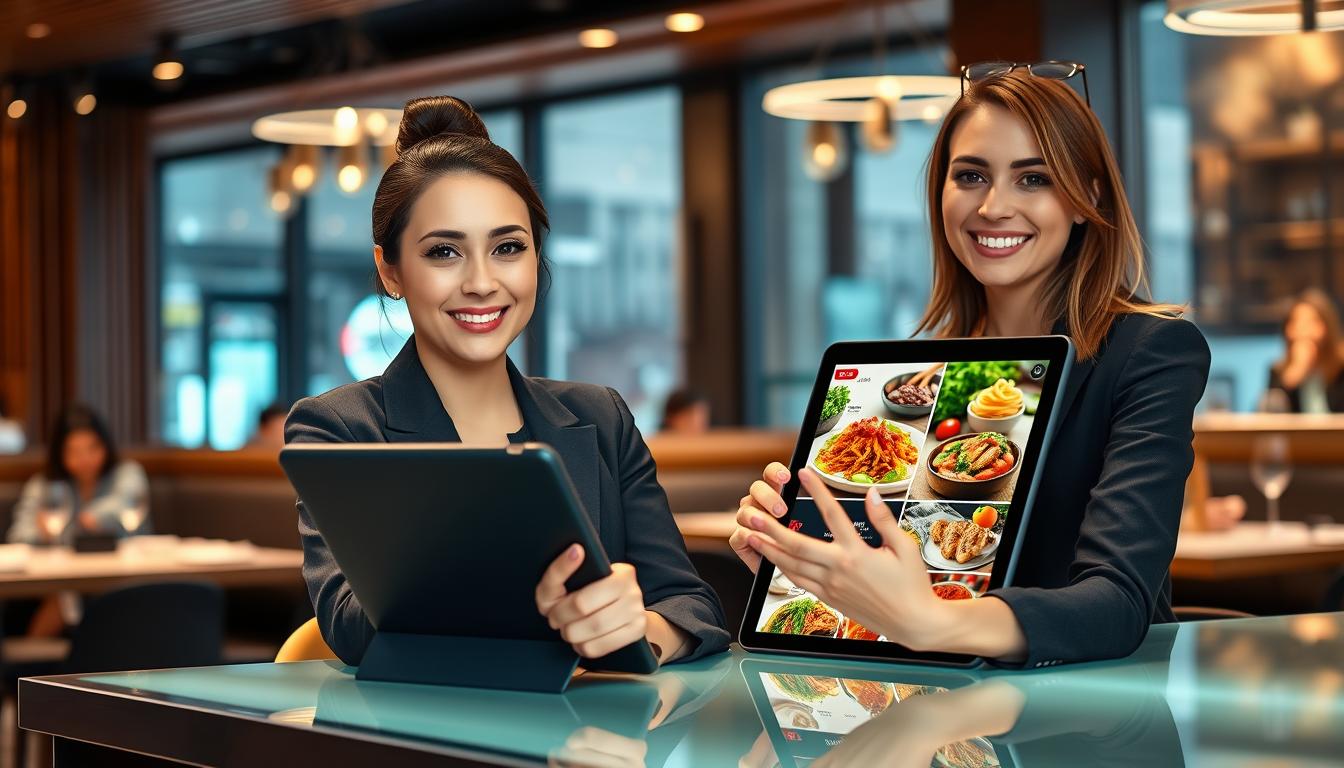
When guests are hungry, they act quickly. If your site is slow, they book elsewhere. A restaurant pre-sales chat assistant keeps the conversation going, turning quick questions into real bookings.
This guide shows how a restaurant chatbot can boost reservations and cut missed bookings. It answers pre-visit queries in seconds. You get dining bookings automation without adding more calls to your team.
If you run, market, or manage a US venue, speed and control are key. A reservation chatbot helps guests pick a time and confirm policies. It also improves lead capture when diners are not ready to book.
We will keep it practical. You can quickly deploy a SaaS chat assistant, keep it on-brand, and guide guests to bookings. You’ll use Amico Core Intelligence and have a clear Start Free chatbot pathway. This lets you prove value before scaling.
Risk matters too. You can set escalation rules, protect access with Role-Based Access Control (RBAC), and learn from gaps with Missed Query Logging. When you’re ready, start free here: https://billing.chatbotamico.com/register
Key Takeaways
- A restaurant pre-sales chat assistant answers pre-visit questions fast and reduces drop-offs.
- A reservation chatbot can push more guests into confirmed bookings and smarter alternatives.
- Dining bookings automation eases pressure on staff during peak service windows.
- Restaurant lead capture turns “just looking” visitors into contacts you can convert later.
- A SaaS chat assistant can be deployed quickly with clear governance and handover rules.
- Amico Core Intelligence supports Fuzzy Matching and Guaranteed Customer Journeys to keep chats on track.
What a pre-sales chat assistant is and why it matters for modern dining
In the world of restaurants, “pre-sales” covers everything before guests arrive. This includes checking menus, asking about dietary needs, and more. It also includes details like opening hours, directions, and parking.
A pre-sales chatbot for restaurants makes these decisions easy in one quick chat. It meets guests where they are, usually on their phones, making choices fast.
Quick and clear answers boost your restaurant’s conversion rate without stressing staff. It also keeps the guest experience smooth and trustworthy across all channels.
Pre-sales vs customer support: where the biggest revenue wins happen
Pre-sales creates new demand by turning “maybes” into bookings or qualified enquiries. It captures the right details early on.
Customer support, on the other hand, deals with issues after a booking. It’s important but usually after revenue has started flowing.
| Area | Typical guest mindset | Fast outcomes you can trigger | Commercial impact |
|---|---|---|---|
| Pre-sales | Comparing restaurants, scanning menus, checking times | Route to reservation, waitlist, call-back, or event enquiry | Higher booking conversion and a stronger restaurant conversion rate |
| Customer support | Managing an existing plan, solving a problem | Modify booking, confirm policy, hand over to staff when needed | Lower churn and fewer negative reviews, with less direct new revenue |
How conversational journeys turn browsers into bookers
The best assistant isn’t just a FAQ dump. It guides guests through a simple path: browse, qualify, suggest, capture details, confirm the next step.
This structure supports automating restaurant enquiries while still feeling personal. It also helps reduce abandoned reservations by moving the chat towards a clear action.
- Browse: the guest asks what’s on and what’s possible.
- Qualify: party size, date, time, and any key needs.
- Suggest: the right slot, alternative times, or a waitlist.
- Capture: name, contact details, and preferences.
- Confirm: booking, enquiry, or a staff handover.
Key moments that influence guests before they arrive
Several “micro-decisions” shape whether guests commit or keep scrolling. Slow, unclear, or missing answers can lose their interest quickly.
Availability is the first flashpoint. If guests can’t find a time in seconds, they often drop off. Tighter flows help reduce abandoned reservations.
Allergens and dietary needs are a trust test. Clear, consistent responses protect the guest journey and keep the booking conversion on track.
Logistics matter more than you think: parking, accessibility, and neighbourhood cues. Getting this right improves confidence and supports restaurant enquiries automation at peak times.
Menu fit and price range settle value. When guests can confirm what suits their group, you protect the restaurant conversion rate before they even open another tab.
Group dining and events are higher-ticket moments. A pre-sales chatbot for restaurant enquiries can capture size, timing, and purpose early, so your team can respond with speed and accuracy.
Restaurant
Before guests book, they need trust in seconds. A restaurant bookings assistant gives quick, clear answers. They guide guests smoothly to the next step, without effort.
When phones are busy, a menu questions chatbot keeps the chat going. This way, guests feel cared for, even when staff is busy.
Common pre-sale questions guests ask before choosing where to eat
Guests often start with the basics. They ask about the menu, what’s popular, and what fits their needs. They’re curious about spice levels, substitutions, kids’ options, and whether a tasting menu is worth it.
Dietary needs come next, and clear language is key. You should explain what you can do and what you can’t guarantee. Always mention when to ask staff about allergies.
Then, guests check practical details. They ask about opening hours, parking, transport, patio seating, service charges, and cancellation policies. These questions decide if they book or look elsewhere.
How to guide guests towards reservations, walk-ins, and waitlists
Guiding guests should feel helpful, not restrictive. If there’s room, the bookings assistant should quickly get the guest’s details. This should be easy and quick.
If it’s busy, a waitlist chatbot can suggest nearby times or alternative days. It also offers to keep guests updated by SMS or email. This keeps their interest alive, even when it’s busy.
For walk-ins, it’s about setting clear expectations. Share the best time to arrive, typical wait times, and how to join the queue. This helps guests plan and reduces uncertainty.
| Guest intent | What you provide in-chat | Operational payoff |
|---|---|---|
| “Table for two tonight” | Fast availability check, time options, contact capture | Fewer missed calls, cleaner booking data |
| “Can we walk in?” | Clear wait expectations, best arrival window, queue join steps | Smoother walk-in management at the door |
| “How long is the wait?” | Wait range, updates via text, nearby time suggestions | Less crowding, more predictable pacing |
| “Do you do gluten-free or vegan?” | Ingredient guidance, cross-contamination note, staff handover prompt | Safer handling of dietary requirements restaurant requests |
| “We need a private room” | Capacity range, deposit cues, brochure-style details, lead capture | Higher conversion on private dining enquiries |
Upsell opportunities that feel helpful, not pushy
Upselling works best when guests show interest. If they mention a special occasion or a large group, you can offer a better option. Frame it as a choice, not a push.
An upsell pre-order can be a service. Reserve a signature dish, speed up the first course, or confirm celebratory add-ons. Done right, it improves the guest’s first impression and reduces kitchen surprises.
For groups, suggest set menus, premium seating, or quick paths to private dining. Keep the tone calm and clear. This way, guests feel supported, not pressured.
Choosing the right pre-sales chat assistant: features that drive reservations
You’re not just looking for a novelty bot. You want a pre-sales system that turns interest into action quickly.
The best system keeps answers consistent. It guides guests to the next step and captures important details for your team. This helps reduce drop-offs and protects your booking pipeline.
Fuzzy Matching for menu items, dietary needs, and misspellings
Guests often type differently than your menu. They might shorten names, use slang, or misspell items when they’re in a hurry.
A Fuzzy Matching restaurant chatbot can handle these variations. It works with phrases like “gluten free pasta” and “gluten-free penne”. With the Amico Core Intelligence engine, it gives more confident answers that help guests book.
Guaranteed Customer Journeys to keep chats on-track to conversion
Free-form chats can go off track. Guaranteed Customer Journeys keep the conversation focused on outcomes like booking or joining a wait list.
This structure is crucial during busy times. Clear prompts and actions help guests complete their tasks, rather than giving up mid-chat.
Multichannel coverage for website, Google, and social messaging
Your guests move between different touchpoints. A multichannel restaurant chatbot ensures policies and hours are consistent across your site, Google, and messaging apps.
If you need an alternative to Google Business Messages, look for the same guided flows and reporting across channels. This way, social media restaurant enquiries get the same quality of answers as web chats, with fewer mixed messages for staff to fix later.
Lead capture essentials: contact details, intent, and preferred times
Chats should end with useful data, not just “good to know”. A restaurant lead capture form should collect contact details, intent, party size, preferred dates and times, and any special notes that affect service.
Large parties and events need extra structure. This ensures your team can respond quickly and accurately.
| Capability | What you should expect | What it improves for your restaurant |
|---|---|---|
| Fuzzy Matching restaurant chatbot | Recognises dish variants, misspellings, and dietary wording; suggests the closest match when unsure | Faster decisions, fewer “I don’t understand” loops, smoother reservation flow |
| Guaranteed Customer Journeys | Guided steps for booking, wait list, enquiry, and staff escalation with clear next actions | Higher completion rates and fewer abandoned chats |
| Multichannel coverage | One consistent experience across website, Google surfaces, and messaging; supports a Google Business Messages alternative | Fewer policy conflicts, cleaner handovers, better handling of social media restaurant enquiries |
| Restaurant lead capture form | Captures phone or email, intent, party size, preferred times, and special requests with routing rules | Cleaner lead follow-up and less time spent chasing missing details |
| Operational controls | Role-Based Access Control (RBAC), Bulk Import/Export for menus and FAQs, plus Missed Query Logging | Safer updates, faster seasonal changes, and ongoing improvements based on real guest questions |
These features work best when managed, not improvised. With RBAC, you control who can change menus and policies. Bulk Import/Export makes updates quick across locations. Missed Query Logging shows where guests get stuck so you can fix it.
Paired with the Amico Core Intelligence engine, you keep performance steady. Your team can focus on service, not fixing chat gaps.
How to deploy a high-performance SaaS chat assistant quickly
Deploying a SaaS chatbot quickly means breaking tasks into simple steps. This way, you can start and improve without slowing down your service. Begin with the basics and expand as you see more booking requests.
Amico Core Intelligence is ready from the start. It handles natural language and keeps guests moving. To expand, sign up at https://billing.chatbotamico.com/register.
Start Free and upgrade later: a low-risk rollout plan
Starting with a free chatbot lets you check demand first. You can see what guests ask and what prompts bookings. This makes upgrading easier and more justified.
- Week 1: launch the core journey for bookings, opening times, and location basics.
- Week 2: add menu and policy coverage, then tighten answers based on real chats.
- Ongoing: use Missed Query Logging so gaps become your next improvement queue.
Installation options: website widget, QR codes, and campaign links
Your website is where high-intent traffic starts. So, start with the website chat widget. It meets guests when they check menus or availability. It also reduces phone calls during busy times.
For in-store and takeaway, use QR codes. Place them at the host stand and on receipts. This way, guests can ask about future bookings or dietary needs without waiting.
To link marketing smoothly, use campaign links in your Instagram bio, emails, ads, and Google Posts. This keeps tracking consistent and avoids support issues in each channel.
| Option | Best moment to use it | What you gain | What to prepare |
|---|---|---|---|
| restaurant website chat widget | Pre-visit browsing on mobile and desktop | Higher booking conversion with fewer clicks | Reservation link, hours, address, key FAQs |
| QR code restaurant chatbot | On-premise, takeaway, and after-visit follow-up | Repeat visits and faster answers without calls | Printed QR placements and a short “how can we help?” prompt |
| campaign links | Social, email, ads, and local listings | One journey across channels with clearer attribution | Channel naming rules and a consistent first question |
Training your assistant on your menu, policies, and brand voice
Training should be easy, like setting up. With chatbot training menu import, you can load menu items and policies quickly. Bulk Import/Export helps update seasonal changes fast, without manual edits.
Keep information safe and consistent with RBAC. Only authorised staff can change pricing or policy wording. Set voice rules that match your dining room: concise, polite, and confident. Be clear on allergens, and avoid promises that a kitchen cannot guarantee.
Go-live checklist: hours, location, bookings, and escalation rules
Before you push traffic into the chat, confirm the basics are correct for every location. Guests will forgive a short wait; they will not forgive wrong hours or a broken booking path. Your escalation rules should be clear, so staff only step in when it matters.
- Hours and holiday hours, plus address and local parking or accessibility notes.
- Booking path: reservation link, deposits, cancellation windows, and party-size limits.
- Escalation rules for allergy complexity, VIP requests, private events, and complaints.
- Missed Query Logging enabled, with a weekly review to improve coverage.
Creating high-converting conversation flows for bookings and enquiries
You want chats that move fast, feel natural, and end in a confirmed action. Build your restaurant booking flow like a funnel. Ask only what you need, then guide the guest to the next best step. Use clear prompts and smart guardrails to reduce drop-off and keep intent high, even when demand spikes.
Reservation-first scripts that reduce friction
Start with reservation chatbot scripts that qualify in seconds. Ask for date, time, and party size. Use short options like “Tonight”, “Tomorrow”, and “This weekend” so guests do not have to type.
Keep the tone helpful and confirm key policies only when they matter. This way, you do not interrupt the booking moment.
When details are missing, nudge once and move on. If the guest hesitates, offer a clear “Reserve now” path plus a softer option like “Join waitlist”. This keeps momentum without sounding pushy.
Handling peak-time demand with smart alternatives and time suggestions
When you are full, you still have a sale to protect. Offer peak time booking alternatives that feel like service. This includes earlier or later slots, bar seating, weekdays, or a waitlist.
The phrasing matters; “Here are your fastest options” lands better than a flat no. Capture contact details early for the waitlist, then confirm the preferred time window and party size. This way, you can reach the guest quickly when space opens, and staff are not chasing basics.
Managing private dining, events, and large party requests
High-value bookings need structure. Private dining lead capture works best when you collect flexibility on date, guest count, budget range, and dietary needs. Then, route it with context. This cuts back-and-forth and helps your team quote faster.
Treat an event enquiries chatbot like a short intake form that still feels like conversation. Ask one question at a time, confirm what you heard, then offer the next step: callback, email, or a calendar slot.
Capturing pre-order and special request details to improve service
Pre-order capture can start right after the reservation is set, while intent is high. You can gather dish selections, timing needs, and key notes for the kitchen, without turning the chat into a long survey. Keep it optional and clearly beneficial: faster service, fewer errors, and better pacing.
Special requests automation helps you handle birthdays, anniversaries, accessibility needs, seating preferences, and allergen notes with clear, careful language. Add a simple safety line that reminds guests to confirm critical allergies on arrival. Then, pass the details into your internal process so the front-of-house team can act on them.
| Guest intent | What you ask in-chat | What the assistant offers next | Operational payoff for your team |
|---|---|---|---|
| Book a table fast | Date, time, party size | Buttons for popular timeframes and a single confirm step | Cleaner reservations, fewer incomplete enquiries, less phone pressure |
| Peak service, no availability | Preferred time window and contact details | Peak time booking alternatives: earlier/later, bar seating, weekday, waitlist | Higher conversion under load, a usable waitlist with ready-to-call guests |
| Private dining or large party | Guest count, budget range, date flexibility, dietary needs | Private dining lead capture with a direct handover path | Faster quotes, fewer clarifying emails, better-qualified leads |
| Event planning | Event type, timing, room needs, preferred contact method | Event enquiries chatbot that confirms details and routes to the right person | Less admin time, fewer missed opportunities, clearer ownership |
| Pre-order and requests | Menu choices, arrival timing, accessibility, allergen notes | Pre-order capture plus special requests automation | Smoother service, better prep, fewer last-minute surprises |
As chats run, watch where guests stall and what they ask that you did not expect. Those gaps are your quickest wins. Tighten wording, add a missing option, and keep the path to booking short and calm.
Proving ROI: tracking conversions, guest intent, and revenue lift
To show the value of a restaurant chatbot, start with numbers that reflect your service. Count chats that lead to a confirmed booking. Also, include enquiries for private dining or events with contact details. Plus, note the time saved when fewer guests call during busy times.
For booking conversion tracking, link each chat to a clear booking action. This means not just a click. By seeing where guests pause or leave, you can make the booking process smoother. Intent analytics is key here, as it reveals what guests meant to do, not just what they typed.
For lead attribution in restaurants, track all channels to the same outcomes. Your website, Google Business Profile, and social DMs should all contribute to one view of bookings and leads. This makes it easier to compare performance before and after launching the chatbot.
Measuring revenue lift is more effective than just counting chats. Track more covers, better use of quiet times, and stronger group requests. Over weeks, you can spot trends like guests preferring early seating on weekdays or asking about accessibility before booking.
Finally, use insights from missed queries as a weekly improvement cycle. Each unanswered question hints at something missing: a menu item, clear policy wording, or a synonym your chatbot should know. Fixing these gaps reduces dead ends and keeps guests moving towards a booking or quality enquiry.
| What you measure | How to capture it | What it tells you | Practical action |
|---|---|---|---|
| Completed reservations from chat | Booking conversion tracking from chat start to confirmed booking | True conversion rate, not just interest | Shorten the path to dates, times, and party size |
| Event and private dining enquiries | Lead capture with name, email/phone, date range, group size | Lead quality and follow-up readiness | Ask one extra qualifier: budget, set menu, or room preference |
| Channel performance | Lead attribution restaurant across website, Google, and social messaging | Where high-intent guests originate | Shift spend and effort towards the best-performing channels |
| Guest intent mix | Intent analytics tags: reservations, menu/dietary, policies, waitlist, events | What drives decisions before guests arrive | Promote the top intents in the first two messages |
| Gaps and confusion points | Missed query logging and missed queries insights review | Where journeys fail and trust drops | Add answers, expand synonyms, and refine policy wording weekly |
| Incremental covers and utilisation | Revenue lift measurement vs baseline weeks, split by daypart | Real uplift, including off-peak wins | Offer smart alternatives: earlier/later times and waitlist options |
Trust, safety, and brand protection for US diners
When guests share their mobile number, allergy details, or table preference, trust is at stake. Restaurant chatbot security helps you gain it quickly. It makes the experience calm, consistent, and professional.
This trust boosts bookings. It also cuts down on awkward calls, disputed information, and lost revenue.
Data handling basics: consent, storage, and retention expectations
In the US, data privacy rules are clear: collect less, explain more, and avoid surprises. Keep questions focused on what supports the booking and visit.
Consent management is best when it’s clear: explain why you’re asking, how you’ll use it, and what’s next. If you plan to send updates, make opting-in simple and honest.
Data retention should match your operations. Keep booking context long enough to deliver service and improve scripts. Then, remove or anonymise what you no longer need.
| Guest detail | Why you need it | How to set expectations |
|---|---|---|
| Phone number or email | Confirm reservations, handle changes, reduce no-shows | Used only for booking updates; optional marketing requires consent management |
| Dietary needs and allergies | Safer preparation and clearer notes for the kitchen | Explain it’s shared with staff for service; apply data retention limits after the visit |
| Preferred time and party size | Offer the best slot fast and suggest alternatives at peak times | State it guides availability; store only what supports the reservation record |
| Special requests | Prepare seating, accessibility, or celebrations without back-and-forth | Confirm what’s noted and what isn’t guaranteed, then keep it tied to the booking |
Safe handover to staff for complex queries and high-value bookings
Some chats need a human touch fast: severe allergies, complex accessibility needs, VIP arrangements, large events, or complaints. A smooth staff handover keeps the guest’s mood and your profit safe.
The handover should include context: what they asked, what the assistant offered, and what they chose. This way, your team doesn’t have to start over or miss important details.
Control is key here. An RBAC chatbot limits who can view or edit sensitive flows. So, only the right roles can handle escalations and policy changes.
Consistency across locations: reducing misinformation and errors
As you grow, keeping your brand consistent across locations is crucial. One branch might update hours, while another forgets; one menu might change, while another still lists an old item. Guests notice and blame the brand.
Use an RBAC chatbot to prevent accidental edits to critical details like service hours, booking rules, and allergy wording. Pair that with Bulk Import/Export to standardise menu and policy updates across sites.
Missed Query Logging adds a practical feedback loop. It shows where each location confuses guests—parking, entrances, seasonal dishes—so you can fix answers once and keep restaurant chatbot security aligned with US data privacy expectations.
Conclusion
Restaurant pre-sales automation is more than just a tool. It’s a fast and reliable way to manage reservations. It keeps guests moving towards a table, even when your team is busy.
It’s about the moments that decide where people eat. Choose features that boost conversion, like Fuzzy Matching for menu items. Also, use Guaranteed Customer Journeys to keep chats on track. Make sure the experience is consistent across your site and key channels.
To set up a restaurant chatbot easily, start with a free chat assistant. You can go live in days. Improve it with missed query review and Amico Core Intelligence for stable answers. Use RBAC for access and Bulk Import/Export for updates across locations.
For a simple next step, start free at https://billing.chatbotamico.com/register. You’ll have control, guests will get clarity, and your team will have a break. Your restaurant will get more bookings.
Leave a Reply