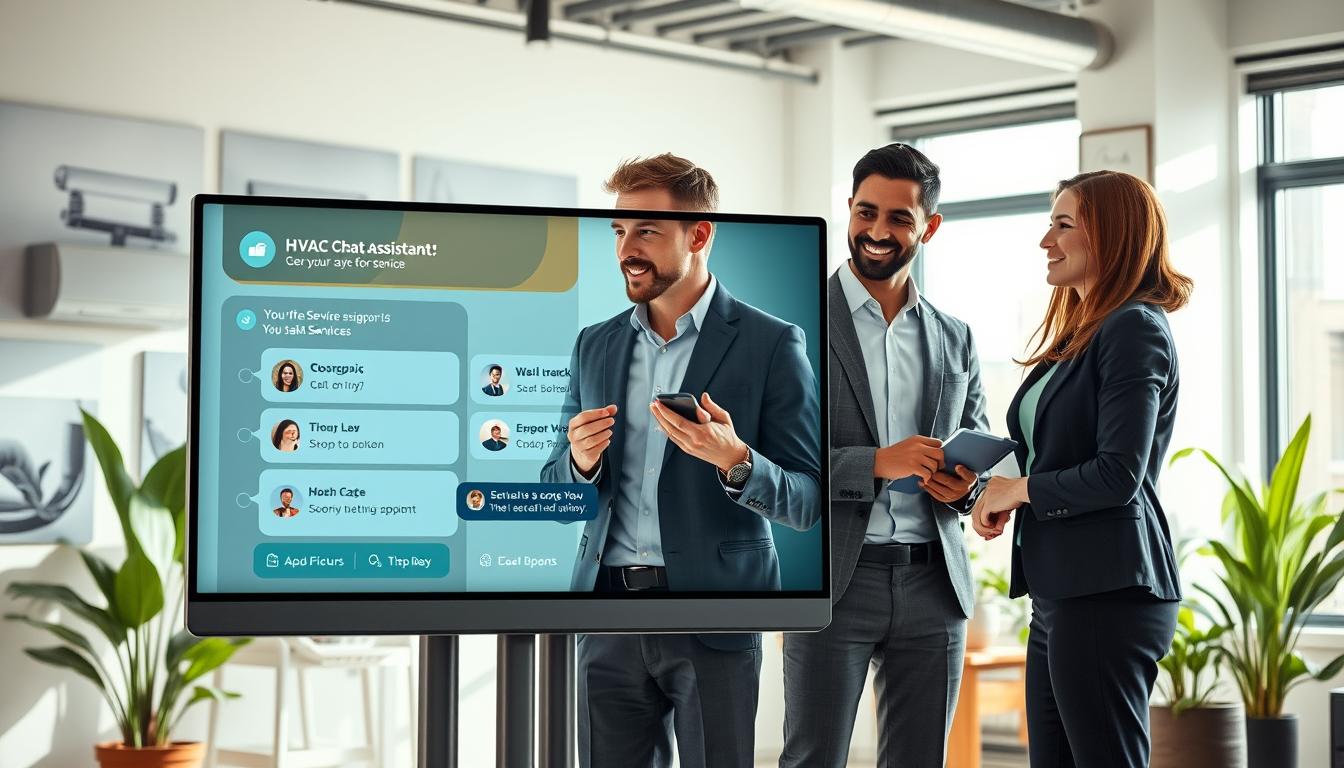
Homeowners in the United States often don’t wait for a call back. If your website is slow or hard to navigate, they might go to a competitor. A pre-sales chat assistant can help by meeting visitors immediately with clear information.
This guide will show you how to use an HVAC chat assistant for better lead generation. It helps you manage more leads without adding to your team’s workload. You’ll see fewer “just looking” messages and more chances to book appointments.
An HVAC website chat widget can also support your services after hours. It can handle urgent requests and keep everything organised. With it, you can qualify prospects before talking to them, leading to cleaner leads and faster responses.
You can start for free and upgrade later. You’ll still get access to Amico Core Intelligence features like Fuzzy Matching and Guaranteed Customer Journeys. To deploy now, register here: https://billing.chatbotamico.com/register
Key takeaways
- Reduce friction on HVAC Services pages with instant answers and guided options.
- Improve HVAC lead generation by qualifying HVAC enquiries before a callback.
- Use an HVAC website chat widget to help you book HVAC appointments 24/7.
- Make pre-sales automation feel natural, not scripted or pushy.
- Strengthen trust with HVAC customer support automation that keeps details organised.
- Start free and upgrade later with Amico Core Intelligence, including Fuzzy Matching and Guaranteed Customer Journeys.
What a pre-sales chat assistant is and why it matters for HVAC lead conversion
A pre-sales chat assistant is a chat box on your website. It welcomes visitors, answers common questions, and guides them to the next step. This could be a call, a quote, or a booked appointment. It works alongside your phone line and contact form, offering choice without adding friction.
With website chat for HVAC, you can respond quickly, even when you’re busy. This speed is crucial when someone needs immediate help, like no heat or cooling. They might be comparing providers in real time.
Many people contact you late at night, on weekends, or between calls. Capturing these leads means you keep the conversation going. This is especially important as competitors might send prospects to voicemail or a slow form.
The big advantage is consistency. A chat can provide essential information without guesswork. This includes service areas, pricing ranges, availability, and system types. It helps with HVAC call deflection for routine queries, freeing up your team for complex cases.
When set up well, appointment booking automation collects the necessary information before passing it on. This includes the problem, location, urgency, and contact details. This informed first touch boosts HVAC lead conversion.
| Moment in the enquiry | What the visitor needs | How chat changes outcomes |
|---|---|---|
| First 30 seconds on the page | Fast clarity on whether you can help | website chat for HVAC gives instant answers, reducing drop-offs |
| Busy periods and call spikes | A simple way to ask basic questions | HVAC call deflection handles repetitive queries while calls stay open for urgent work |
| Evenings, weekends, holidays | Someone to respond now | after-hours HVAC leads are captured and routed to the right next step |
| Before dispatch or quoting | Confidence that you understand the issue | A pre-sales chat assistant gathers key details, improving HVAC lead conversion quality |
| End of the conversation | A clear action to take | appointment booking automation turns intent into a scheduled visit or quote request |
Over time, this front-door experience can raise your service business conversion rate. It cuts response delays and keeps prospects engaged. You still control the process, but the assistant makes it easier for customers to say “yes” sooner.
How to design customer journeys for HVAC Services that qualify leads and book jobs
A good HVAC customer journey feels like a friendly chat, not a form. It guides people in simple steps, with clear choices. This way, they type less and you get more accurate details.
Each path should lead to one outcome: book, get a quote, or handover to a human with all the details. This makes your HVAC booking flow quick, even when demand is high.
Map the most common intents: repairs, installations, maintenance, emergency call-outs
Start with what you sell every day: repairs, replacements, seasonal care, and urgent call-outs. Each intent needs only the basics so you can route and price with confidence.
For AC repair lead capture, start with the symptom and service area. For furnace installation enquiries, focus on whether it’s a swap, first-time install, or upgrade, and the property type.
HVAC maintenance leads are best as a simple choice: one-off tune-up or a plan. Keep the “why” clear, like fewer breakdowns and priority scheduling.
Ask qualifying questions that customers will actually answer (without friction)
Your lead qualification questions should earn their place. If a question won’t change scheduling, dispatch, or pricing, ask it later.
- Location first: ZIP code to confirm you cover the area.
- System type: AC, furnace, heat pump, or mini-split.
- Urgency: today, this week, or flexible.
- Preferred time window: morning, afternoon, or evening.
Use quick replies for most steps. Save free text for details like “AC’s blowing warm air” or “furnace won’t ignite”, because that language is what people naturally type.
Route conversations by urgency, location, system type, and availability
Routing is where speed turns into revenue. You pre-sort demand so your team stops triaging and starts completing jobs.
Emergency HVAC routing should trigger on clear signals: no heat in winter, no cooling in extreme heat, or carbon monoxide concerns. Move these chats to a priority queue and present a direct call option, while still capturing the basics you need for dispatch.
Next, confirm the service area before you collect long details. Then route by system type so installs go to the right diary and repairs land with service tech availability.
Capture contact details compliantly while keeping the chat natural
Ask for contact details only at the moment they make sense. A simple line reduces drop-off: “So we can confirm availability and lock in your appointment…”
Collect the minimum: name, phone number, ZIP code, and consent to be contacted. Email can stay optional for receipts and quotes.
This keeps the flow human while still supporting AC repair lead capture, ongoing HVAC maintenance leads, and higher-value furnace installation enquiries.
Turn high-intent chats into booked appointments with clear next steps
Once intent and basics are set, make the next step obvious. Offer one primary action at a time: book, request a quote, or hand over to a person.
Confirm the booking in-chat: date, time window, address, and what happens next. If pricing depends on diagnosis, say so early; it prevents confusion and last-minute cancellations in your HVAC booking flow.
| Intent | Minimum details to collect | Routing rule | Best next step |
|---|---|---|---|
| AC not cooling / airflow issues | ZIP code, symptom, system type, urgency, preferred time window | Service area check, then route to service tech diary | Book diagnostic visit (supports AC repair lead capture) |
| Furnace replacement or upgrade | ZIP code, property type, current system, desired timeline, budget range (optional) | Route to install team if replacement; service team if fault-first | Request a quote or schedule survey (covers furnace installation enquiries) |
| Seasonal tune-up / plan sign-up | ZIP code, system type, last service date (optional), preferred days | Route to maintenance slots and plan options | Book tune-up (drives HVAC maintenance leads) |
| No heat / no cooling extreme weather | ZIP code, urgency, symptom, callback number | Emergency HVAC routing to priority handling and on-call rules | Call dispatch or book first available emergency slot |
Deploy our high-performance SaaS pre-sales assistant: start free and upgrade later
You’ve already set up the flow. Now, you can deploy it easily without a long wait or heavy maintenance. This SaaS chat assistant is fast to start. You begin with free access, show its value, and then scale up when you see the results.
It also meets your HVAC lead capture needs from the start. This means your team can focus on real job quotes instead of chasing vague leads.
Fast setup for US HVAC businesses: add a widget to your website and landing pages
Just add the HVAC chat widget to your homepage, service pages, and contact page. These are key spots where people show interest and where you can win or lose conversions.
When running paid ads, use the same assistant on focused landing pages. This keeps your message clear and captures important details when customers are still interested.
Configure hours, service areas, and job types to reduce unqualified enquiries
Set up rules once and let them work. Define your working hours, after-hours handling, and filter by city or ZIP. Also, limit job types to what you actually do.
This automation keeps chats on track and reduces dead ends. Your pipeline gets cleaner, and your phones stay clear during busy times.
Secure permanent access to the Amico Core Intelligence engine
Behind the chat is Amico Core Intelligence. It’s designed for real service enquiries, not just scripts. So, the assistant stays consistent even as your offers and capacity change.
You’re getting a layer that supports consistent intake, clean data, and predictable hand-offs from chat to call or booking.
Use Fuzzy Matching to understand misspellings, shorthand, and real-world phrasing
People type fast on mobiles. A Fuzzy Matching chatbot helps understand what they mean, even with messy wording. It handles things like “ac not kool”, “thermo stat”, “no heat”, “furnace smell”, “mini split leaking”.
This reduces misunderstandings and protects your lead capture results, especially when customers are in a rush.
Guaranteed Customer Journeys to keep prospects moving towards a quote or booking
Guaranteed Customer Journeys keep the conversation moving. Each step offers a next best action, so chats don’t stall when customers are unsure.
It standardises intake, boosts conversion on your HVAC landing pages, and ensures your team gets consistent details across all interactions.
| Deployment step | What you set | What the customer experiences | Operational payoff |
|---|---|---|---|
| Place the HVAC chat widget | Homepage, service pages, contact page, and campaign landing pages | Instant help at the moment of intent | Higher HVAC landing page conversion and steadier lead flow |
| Business rules | Hours, after-hours prompts, service areas, accepted job types | Clear guidance and fewer wrong turns | Cleaner requests through customer journey automation |
| Core intelligence | Ongoing use of Amico Core Intelligence | Accurate intent handling across common HVAC needs | Reliable intake without constant rework in your SaaS chat assistant |
| Language tolerance | Fuzzy Matching chatbot tuned to real phrasing | Understood even with typos or shorthand | Stronger website lead capture HVAC and fewer abandoned chats |
| Journeys and outcomes | Structured paths towards quote, call, or booking | Guided progress with fewer drop-offs | More qualified leads before you upgrade from start free chat assistant |
To begin, register and launch your assistant at https://billing.chatbotamico.com/register.
Optimise and measure performance: reduce response times and increase booked calls
You can’t improve what you can’t see. Chatbot analytics and HVAC conversion tracking help you link chats to real results. This includes captured leads, booked appointments, or quick hand-offs to your team.
This is real SaaS optimisation. You set goals, check them weekly, and make changes with confidence.
Start with lead qualification metrics that match how HVAC buyers behave in the United States. Track chat-to-lead conversion, lead-to-booking rate, after-hours capture, drop-off points, and time-to-resolution. Then, act on what changes.
Doing this well can cut response times and boost booked calls. You can do this without adding more phone staff.
- Chat-to-lead conversion: how many visitors share contact details once they start the chat.
- Lead-to-booking: how many qualified chats become booked calls or appointments.
- After-hours capture: leads collected when your office is shut.
- Drop-off points: the exact question that causes people to leave.
- Time-to-resolution: how quickly the chat reaches a clear next step.
Use missed query logging to spot demand you are currently missing. When prospects ask about rebates, financing, or emergency timing and the bot hesitates, you gain a clear to-do list for new intents, tighter routing, and better phrasing.
That feedback loop keeps your journey aligned with real wording, not guesses.
For fast operational changes, bulk import export lets you refresh service areas, job types, FAQs, and seasonal messages in one controlled pass. It is especially useful when you run multiple branches, update coverage, or change opening hours.
That speed supports HVAC conversion tracking because your reporting stays consistent as your offer changes.
RBAC keeps improvements safe and quick. Marketing can adjust copy and prompts, operations can manage routing rules and hours, and admin rights stay locked down.
You get security without delays, which makes ongoing SaaS optimisation easier to sustain.
| What you measure | What it tells you | What to change next | Tooling focus |
|---|---|---|---|
| Chat-to-lead conversion rate | Whether the journey earns trust fast enough | Shorten the first questions and ask for contact details after value | chatbot analytics |
| Lead-to-booking rate | Whether qualified chats become booked calls | Add clearer booking prompts for urgent and high-value intents | HVAC conversion tracking |
| After-hours capture | How much work you win while the office is closed | Offer next-day slots and clear expectations, then confirm by SMS or email | reduce response time |
| Drop-off point by question | Where prospects lose patience | Rewrite the sticking point and test a shorter option | lead qualification metrics |
| Unanswered or misrouted requests | What customers ask that the assistant cannot handle yet | Add new intents, synonyms, and better routing rules | missed query logging |
| Time-to-resolution | How quickly you reach a next step | Remove unnecessary steps and prioritise urgent paths | increase booked calls |
| Change control and access | Whether updates happen safely without bottlenecks | Split permissions by role and keep admin actions restricted | RBAC |
| Update speed across branches | How fast you can roll out consistent changes | Push approved lists for areas, services, and FAQs in one go | bulk import export |
| Weekly optimisation cadence | Whether improvements stay consistent over time | Schedule a short review, prioritise one change, then measure impact | SaaS optimisation |
Conclusion
Adding a pre-sales assistant for HVAC to your funnel stops leads from slipping away. You respond quickly, qualify leads instantly, and guide them towards booking appointments. This is the key benefit of HVAC Services automation: you stay on top of customer needs even when your team is busy.
The process is straightforward and consistent. First, identify what customers want, then create clear paths for them to follow. Next, direct chats based on urgency and location, collect necessary information legally, and turn interested chats into bookings. This approach is tailored for HVAC lead conversion, not just generic chat.
With the right setup, you can be more confident and reduce manual work. Missed Query Logging helps you see what prospects asked for, so you can improve your responses and book more jobs. Role-Based Access Control (RBAC) also ensures your team grows without slowing down.
If you’re looking for a quick test before committing, start with a SaaS chat assistant deployment. You can begin for free and upgrade later at https://billing.chatbotamico.com/register. You’ll always have access to Amico Core Intelligence, including Fuzzy Matching and Guaranteed Customer Journeys. This leads to a smoother pipeline, fewer missed chances, and steady growth.
Leave a Reply