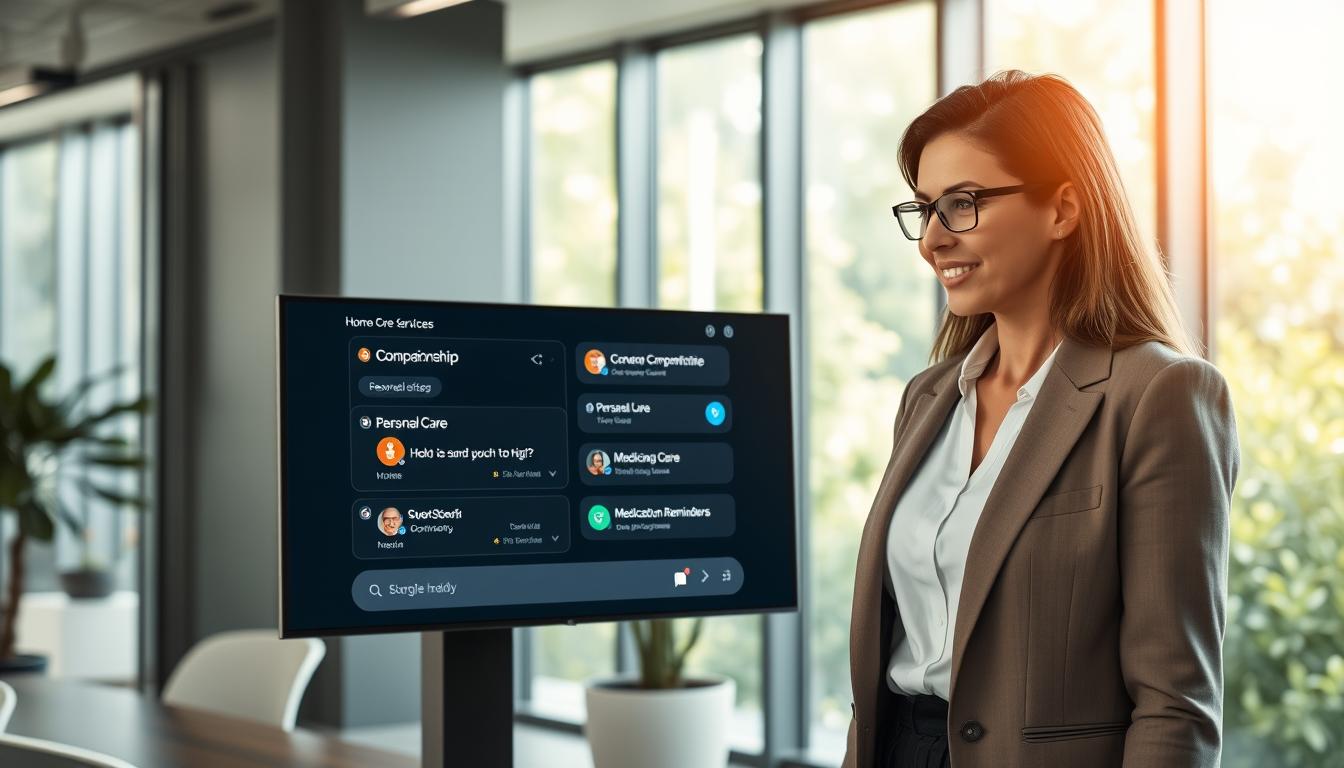
You’re not just adding a chatbot. You’re creating a pre-sales layer for Home Care Services. It turns worries and urgent questions into clear actions. When families have urgent needs, your site must respond quickly and guide them.
This guide is for US home care providers seeking easy pre-sales automation. It’s for agency owners, operations managers, marketers, and tech teams. They’re fed up with chasing down missed calls and duplicate forms.
The aim is simple: catch more enquiries, reply faster, and get cleaner leads. This way, you can book more care assessments without overloading your team. A good chat assistant asks the right questions and captures important details.
Complexity turns into simplicity. Guided prompts clear up confusion. Smart intent detection handles unclear messages. Controlled handover ensures consistent service, even when busy.
We make customer service smoother with smart technology. It ensures a good user experience and is easy to set up. Next, we’ll explain why chat works, how to map your journey, and what data to capture. We’ll also cover deploying a SaaS assistant and protecting privacy and brand for US home care providers.
Key takeaways
-
A pre-sales conversion layer helps Home Care Services convert anxious visitors into action, not just chat.
-
Pre-sales automation reduces missed home care enquiries and speeds up first response.
-
Cleaner home care leads come from guided questions and consistent senior care intake.
-
A chat assistant for caregiving can qualify needs before staff step in.
-
Better care assessment booking happens when handover is timed and controlled.
-
The approach fits US home care providers who need reliable outcomes with low upkeep.
Why a Pre-Sales Chat Assistant Works for US Home Care Providers
When families visit your site, they’re often tired, worried, and in a hurry. If they can’t get a quick answer, they leave. A pre-sales chat assistant makes things simple, turning confusion into progress.
It works well for both your team and visitors. It makes each step in your sales funnel smoother, so fewer people drop out before they’re ready to talk.
How chat support reduces enquiry drop-off and increases booked assessments
Real-time chat support is great because it replaces guesswork with clear questions. Instead of a long form or waiting in a phone queue, you offer simple prompts. This structure helps keep people engaged without feeling rushed.
It also catches after-hours enquiries that might otherwise be lost. The key is to hand off details smoothly: once you have them, you invite the next step and book assessment slots that your team can confirm quickly.
Handling urgent versus non-urgent requests with clear signposting
You protect the person and your brand by sorting urgency early. If someone mentions immediate danger, the assistant should clearly direct them: If this is a medical emergency, call 911. This keeps boundaries clear while still being helpful.
For non-urgent requests, the flow remains practical and calm. It checks service area, outlines what caregiver services include, and moves the visitor towards an assessment without getting bogged down in chat.
- Urgent: safety signposting, then a prompt to call local emergency services
- Non-urgent: eligibility checks, care needs, schedule preferences, and contact capture
- Next step: a clear option to book care assessment or request a call-back
Building trust fast with tone, empathy, and consistent messaging
Families notice tone right away. A steady, respectful voice lowers stress and keeps them engaged. This is where the assistant blends clarity with reassurance, making decisions feel less daunting.
Consistency is key. If your hours, coverage, and scheduling rules change from page to chat, trust drops. When your messaging stays consistent, caregiver services feel dependable, and home care enquiry conversion improves because people feel safe moving forward.
| Moment in the journey | What the assistant says and does | Outcome you can measure |
|---|---|---|
| First question | Uses real-time chat support to ask one simple need-based prompt, then offers quick reply options. | More replies started, fewer bounces. |
| Urgency check | Separates risk: emergency signposting first, non-urgent pathway for information and booking. | Safer interactions and fewer misrouted leads. |
| Qualification | Confirms location, care type, and timing, then summarises in plain English. | Cleaner leads for the senior care sales funnel. |
| Conversion step | Offers a direct prompt to book care assessment or request a call, including after-hours enquiries capture. | More booked assessments and fewer “call tomorrow” losses. |
Home Care Services: Map Your Pre-Sales Journey from First Click to Consultation
Your pre-sales path should be calm and direct, even when the enquiry is stressful. Mapping the home care customer journey removes guesswork and cuts delays. This clarity supports a smoother home care sales process from first click to a booked call.
Start by listing every entry point: your homepage, service pages, paid landing pages, and Google Business traffic. Each source brings a different level of urgency and intent. Your end state should be clear too: a booked consultation, a callback request, or a polite redirection if you cannot meet the need.
Define your ideal customer journeys for private pay and insurance-led enquiries
Build two routes on purpose. With private pay home care, people often want speed, flexible hours, and a clear next step. With insurance-led home care, they usually need eligibility checks and a simple view of what documents may be required.
Keep both routes consistent in tone, but different in decisions. That way, the care consultation workflow stays predictable for your team and reassuring for families.
Create a lead qualification flow: location, care needs, schedule, and budget
Strong home care lead qualification is not an interrogation. It is fast routing. You ask a few focused questions so the right person follows up with the right context.
- Location: confirm city and ZIP early to avoid dead-end conversations.
- Care needs: capture the reason for care and the level of support required.
- Schedule: clarify start date, days and times, hourly versus live-in, and any overnight needs.
- Budget/payment route: identify whether the enquiry fits private pay home care or needs an insurance-led home care pathway.
| Step in the care consultation workflow | What you capture | Why it improves the home care sales process |
|---|---|---|
| Source and urgency | Channel (site, landing page, Google Business) and how soon care is needed | Matches response speed to intent and protects the home care customer journey |
| Service area fit | City and ZIP, plus whether care is at home, hospital discharge, or facility | Stops wasted callbacks and keeps home care lead qualification tight |
| Care scope | Primary needs, safety notes, and any specialist support expectations | Prepares staff with context before the consultation begins |
| Timing and coverage | Hours per day, days per week, live-in or overnight, and start date | Reduces back-and-forth and speeds scheduling decisions |
| Payment route | Private pay home care budget range or insurance-led home care requirements | Sets expectations early and lowers avoidable drop-off |
Set handover rules to staff: when to escalate to phone or in-person
Define triggers that move the chat to a human quickly: complex clinical needs, safety concerns, urgent start requests, pricing pushback, or anything needing licensed judgement. This protects the prospect experience and keeps your care consultation workflow safe.
A controlled handover should feel seamless. The assistant confirms the preferred contact method and best time to reach them, then sends a structured summary. Your team gets the essentials in one view, and the home care customer journey stays on track.
What Your Chat Assistant Should Capture to Convert More Leads
Win more enquiries with a calm, quick, and precise chat. A well-designed flow gathers just enough detail. This qualifies the request, matches the right team, and moves the person towards a next step.
Think of it as a digital front desk. One tidy home care intake form, fewer back-and-forth messages, and clearer outcomes for families under pressure.
Essential intake fields: ADLs, mobility, dementia support, companionship, and respite
Start with an ADLs assessment that is simple to answer. Ask about bathing, dressing, toileting, transfers, and eating. Keep it practical, not clinical, so people don’t freeze or abandon the chat.
Next, cover mobility: walker or wheelchair use, recent falls, and any help needed on stairs. This improves rostering and reduces failed follow-ups because the care plan is clearer from the first message.
For dementia home care support, focus on day-to-day needs: memory prompts, supervision, and wandering risk. For companionship, ask about routines, conversation, and medication reminders without making medical claims.
Handle respite care enquiries with specific dates and urgency. Short-notice cover, weekend gaps, and time-limited relief are easier to staff when the request is structured from the start.
Eligibility and service area checks for United States coverage
Before your team invests time, confirm service area eligibility. Capture state, city, and ZIP code early, then match it to your coverage map for United States operations.
If you can’t serve the area or the service type, route the person with respect: offer a waitlist, future availability, or a call-back if coverage changes. You keep goodwill while protecting staff time.
Consent, contact preferences, and safe collection of personal details
Strong consent capture is both safer and better for conversion. Ask for explicit permission to contact them, then their preferred channel: phone, SMS, or email, plus the best time to reach them.
Collect only what you need to qualify and book. Avoid highly sensitive health details; stay focused on functional needs, schedule, and basic contact data so you reduce risk without slowing the lead.
Appointment booking prompts and follow-up messages that boost attendance
Consultation booking should feel guided, not pushy. Offer a time window, confirm time zone, and verify the best number or email for updates. If an in-home visit is likely, confirm the address at the right moment.
Then use appointment reminders that are short and clear: confirmation, what to expect, and what information to have ready. This reduces no-shows and keeps your diary running to plan.
| Capture point | What you ask in chat | Why it helps conversion and staffing | Common pitfall to avoid |
|---|---|---|---|
| Care needs snapshot | ADLs assessment: bathing, dressing, toileting, transfers, eating | Faster matching to the right caregiver profile and fewer dead-end calls | Long medical questionnaires that make people drop off |
| Safety and access | Mobility aids, stairs, recent falls, level of assistance | Better shift fit and realistic visit planning from day one | Vague wording that hides fall risk until late |
| Cognitive support | dementia home care support: prompts, supervision, wandering risk | Clearer expectations and fewer mismatched assessments | Asking for diagnoses rather than practical support needs |
| Short-term cover | respite care enquiries: dates, urgency, preferred hours | Quicker staffing decisions and less rework on schedules | Not confirming start date, causing delays and frustration |
| Coverage check | service area eligibility: state, city, ZIP, service type | Stops wasted leads and routes suitable enquiries to your team | Leaving location until the end of the chat |
| Permission and preferences | consent capture plus preferred channel and best call time | Higher contact rates and cleaner audit trails | Bundling consent into unclear wording |
| Next step | consultation booking with time window, time zone, and contact confirmation | More booked assessments and fewer last-minute cancellations | Not confirming time zone for out-of-area family members |
| Attendance support | appointment reminders: confirmation, what to expect, what to prepare | Reduced no-shows and steadier utilisation of staff time | Overlong messages that get ignored |
Deploy Our High-Performance SaaS Solution and Start Free, Upgrade Later
You can start a SaaS chat assistant for home care easily. It’s designed to help families from the start and guide them forward. This makes the process simple and straightforward.
Starting free, you get real conversations quickly. This means your team can learn faster and work more efficiently. It also helps in keeping the workload manageable.
Fast setup: add to your website, landing pages, and Google Business links
Add your home care website chat to your main site and key landing pages. Also, include it in your Google Business chat link. This way, prospects can easily find you from search results.
Setting up is easy and quick. You can make changes fast based on what people ask. To start, go to: https://billing.chatbotamico.com/register.
Secure permanent access to the Amico Core Intelligence engine
You’re not just buying a script. You’re getting permanent access to Amico Core Intelligence. It’s built to handle intent consistently as your services grow.
Control is key when multiple people use the assistant. RBAC lets you limit access by role. Bulk import export makes it easy to set up across different branches and services.
Missed query logging shows what you missed. This lets you quickly address those gaps and keep the conversation flowing.
How Fuzzy Matching improves intent detection (misspellings, slang, and partial details)
Visitors won’t always type correctly. Fuzzy Matching understands typos and incomplete messages. This ensures they reach the right part of your flow.
It can handle different spellings and short forms. For example, it knows what “demetia”, “alz”, “night help”, or “home nurse” mean. This reduces dead ends and manual follow-ups.
Guaranteed Customer Journeys to keep conversations on-track and compliant
Guided customer journeys keep chats on track. They lead to safe outcomes like eligibility checks or booking requests. This structure prevents chats from going off track.
With these journeys, you get more predictable results. The assistant follows your rules and approved language. Start free, show value quickly, and upgrade later as needed.
| Deployment goal | What you set once | What improves over time | Operational control you keep |
|---|---|---|---|
| Capture leads from every entry point | home care website chat placement and Google Business chat link routing | Higher completion rates on key forms and callback requests | RBAC for safer changes across teams |
| Keep intent detection steady | Service menu, locations, and escalation rules in Amico Core Intelligence | Cleaner intent recognition with Fuzzy Matching as real phrasing appears | missed query logging to reveal content gaps |
| Scale to multiple branches | Templates and standard flows for guided customer journeys | Consistent answers across campaigns and regions | bulk import export for fast replication and controlled updates |
Compliance, Privacy, and Brand Safety for Home Care Pre-Sales Chat
In home care, your chat must be calm, clear, and human. It also needs to protect privacy and keep interactions on track. Compliant chat automation helps guide families without giving clinical advice.
Start with data minimisation. Only capture what’s needed to qualify and book, like postcode and preferred times. This ensures secure lead capture and reduces risk if visitors share too much.
Next, manage consent. Your assistant should ask for permission to contact and respect the chosen channel. This way, your team can follow up confidently, avoiding unwanted contact.
Set clear boundaries to protect users and your brand. The assistant should not act as a clinician and avoid diagnosis. It should also direct urgent situations to emergency services. These rules prevent over-promising and keep language consistent.
Control who can see and change what. Use access control and RBAC to limit editing and viewing of lead details. This protects sensitive data and reduces the risk of accidental changes during busy times.
Operational visibility is key to maintaining standards. Missed Query Logging helps spot unanswered topics and risky wording early. Pair it with an audit trail for tracking changes and decisions, useful for complaints or reviews.
| Safeguard | How it works in pre-sales chat | What you gain |
|---|---|---|
| Data minimisation | Ask for high-level needs and scheduling, not full medical histories | Faster conversations and lower exposure |
| Consent management | Capture permission to contact and store the preferred channel | Cleaner follow-up and fewer disputes |
| Access control (RBAC) | Limit editing, lead viewing, and exports to approved roles | Safer operations and fewer internal errors |
| Audit trail | Record journey updates, permission changes, and lead handling steps | Clear accountability when questions come up |
| Missed Query Logging | Flag gaps in answers and topics that need safer wording | Stronger brand safety and better coverage |
Done well, compliance becomes a repeatable process, not a one-off task. You turn policy into prompts and rules, refining as your service evolves. This way, compliant chat automation remains helpful while protecting people, process, and reputation.
Conclusion
You now have a clear plan for growing Home Care Services in the United States. Guide visitors from their first click to a consultation with simple, consistent chat. By mapping journeys and asking the right questions, you can reduce drop-off and increase bookings.
A strong pre-sales chat assistant ROI comes from structure, not scripts. Use lead qualification automation to sort enquiries. This way, you can focus on the right questions and capture important details.
Once your chat is live, track what people ask but your assistant misses with Missed Query Logging. Then, quickly fill in the gaps. Scale your chat across locations and teams with Bulk Import/Export and RBAC. This keeps updates controlled and consistent.
If you want high-performance automation without a big effort, start with a free SaaS chat. Upgrade later as your results grow. You’ll also get permanent access to the Amico Core Intelligence engine, including Fuzzy Matching and Guaranteed Customer Journeys. Register here: https://billing.chatbotamico.com/register.
Leave a Reply